
Products with ELD "WLI001"
- "-DataTrack247-ELD" Version 3.0.6
- "DataTrack247-ELD" Version 5.4.5 and up
- AIKS-ELOG-BL Version 3.9.6 or Higher
- AIKS-ELOG-PICPLUS Version 3.9.6 or Higher
- Blue-Link-GPS Version 3.0.6
- CarJack-ELD Version 3.0.6
- DriverLog Version 2.1.0 and up
- DriverLog Version 5.4.5 and up
- DriverLog Version 3.0.7 and up
- DriverLog Version 5.4.5 and up
- DriverLog Version 2.1.0 and up
- DriverLog Version 5.4.5 and up
- EZ-DriverLog Version 4.4.9
- Gm-Transport-eLog Version 3.0.6
- GPS-FAST-ELD Version 2.6.7
- GpsBorder-eLog Version 4.3.3
- Kuktrack-ELD Version 3.0.6
- MegaELD Version 3.0.7
- MobileTRAQ-ELD-Link1 Version 3.1.5
- Prometheus-HOS Version Ver. 5.0.3
- Prometheus-HOS Version Ver. 5.1.0
- Roadside-ELD Version 3.0.6
- Zeek-GPS Version 3.0.6
Below you will find a list of products with the ELD "WLI001" obtained from our database, including their available manuals, documentation, and images.
Click the corresponding vendor name to obtain additional information on the manufacturer, as well as contact information for further troubleshooting.
" DataTrack247 ELD"
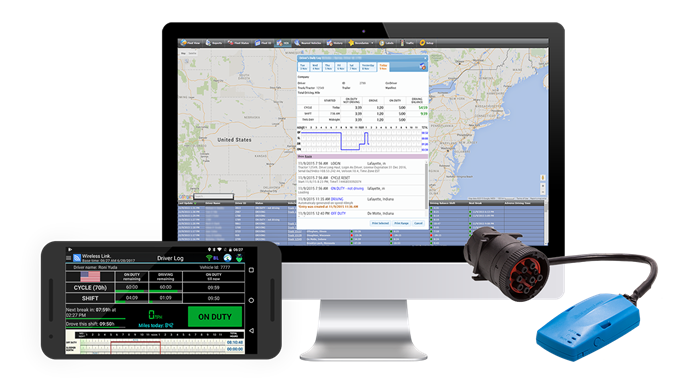
| Vendor | Device Name | Model Number | Approved Version |
|---|---|---|---|
| | " DataTrack247 ELD" | DT247-BT-ELD | 3.0.6 |
Data Transfer and Reporting Procedures
>Malfunctions and Testing
There is a one page document describing how the officer can enter “officer mode” by clicking on the icon on the top right “officer icon” present on all screens. Once in “officer mode” the Daily Header and Full Day ELD Record defined by the FMCSA are displayed. On the bottom of the page there is a button marked “send report.” Clicking this button brings up the window to email the report to any email address entered. It also features an option to submit the data to the FMCSA web services endpoint. This will utilize the SOAP protocol, per the FMCSA documentation, to transmit the ELD data file and the output file comment entered by the inspecting officer.Certification Statement
Each malfunction has been coded following the "Standard Coding for Required Compliance Malfunction and Data Diagnostic Event Detection" definitions regarding "Malfunction/Diagnostic Code", "Malfunction Description" and "Data Diagnostic Event." Power Compliance monitoring assures that the ELD will become fully functional within one minute of the engine on event and remain on as long as the vehicle's engine stays powered. Engine Synchronization monitoring determines our connection to the ECM. This alerts the driver if there is a loss of connectivity to the ECM. For Timing Compliance Monitoring, we periodically check UTC time via the internet. For Positioning Compliance the ELD records the location, and uses the last valid position measurement and includes the latitude and longitude coordinates and distance traveled in miles, since the last valid position measurement. We also measure the elapsed time during periods when the ELD does not require a valid position measurement within 5 miles. If the time exceeds 60 minutes in a 24 hour period, it is marked as a positioning compliance malfunction. An ELD monitors its storage capacity and integrity and detects data recording compliance malfunction if it can no longer record or retain required events or retrieve recorded logs that are not otherwise catalogued remotely by the motor carrier. The ELD monitors the completeness of the ELD event record information in relation to the required data elements for each event type and records a missing data elements data diagnostics event for the driver if any required field is missing at the time of recording. We check to make sure that our data transfer mechanism works properly at least once every 7 days. All Data Diagnostic events are handled similarly according to the mandate.
User Manual:  HOS_Manual_for_Drivers.pdf
"DataTrack247 ELD"
| Vendor | Device Name | Model Number | Approved Version |
|---|---|---|---|
| | "DataTrack247 ELD" | DT247-BT-ELD | 5.4.5 and up |
Data Transfer and Reporting Procedures
> Telematic (Web Service, Email)Malfunctions and Testing
There is a one page document describing how the officer can enter “officer mode” by clicking on the icon on the top right “officer icon” present on all screens. Once in “officer mode” the Daily Header and Full Day ELD Record defined by the FMCSA are displayed. On the bottom of the page there is a button marked “send report.” Clicking this button brings up the window to email the report to any email address entered. It also features an option to submit the data to the FMCSA web services endpoint. This will utilize the SOAP protocol, per the FMCSA documentation, to transmit the ELD data file and the output file comment entered by the inspecting officer.Certification Statement
Each malfunction has been coded following the "Standard Coding for Required Compliance Malfunction and Data Diagnostic Event Detection" definitions regarding "Malfunction/Diagnostic Code", "Malfunction Description" and "Data Diagnostic Event." Power Compliance monitoring assures that the ELD will become fully functional within one minute of the engine on event and remain on as long as the vehicle's engine stays powered. Engine Synchronization monitoring determines our connection to the ECM. This alerts the driver if there is a loss of connectivity to the ECM. For Timing Compliance Monitoring, we periodically check UTC time via the internet. For Positioning Compliance the ELD records the location, and uses the last valid position measurement and includes the latitude and longitude coordinates and distance traveled in miles, since the last valid position measurement. We also measure the elapsed time during periods when the ELD does not require a valid position measurement within 5 miles. If the time exceeds 60 minutes in a 24 hour period, it is marked as a positioning compliance malfunction. An ELD monitors its storage capacity and integrity and detects data recording compliance malfunction if it can no longer record or retain required events or retrieve recorded logs that are not otherwise catalogued remotely by the motor carrier. The ELD monitors the completeness of the ELD event record information in relation to the required data elements for each event type and records a missing data elements data diagnostics event for the driver if any required field is missing at the time of recording. We check to make sure that our data transfer mechanism works properly at least once every 7 days. All Data Diagnostic events are handled similarly according to the mandate.
User Manual: HOS_Manual_for_Drivers.pdf
AIKS ELOG BL
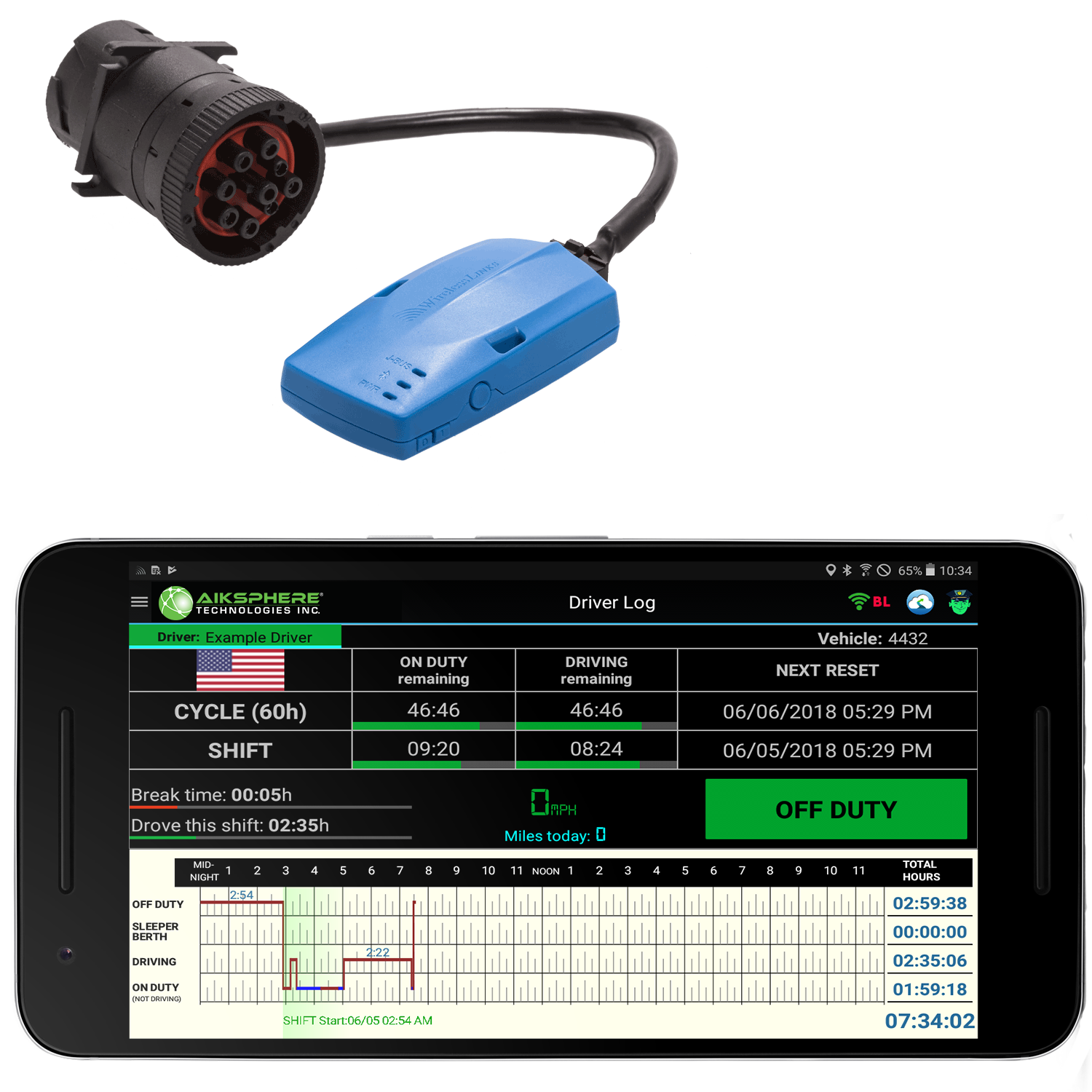
| Vendor | Device Name | Model Number | Approved Version |
|---|---|---|---|
| | AIKS ELOG BL | BLE 4.1 | 3.9.6 or Higher |
Data Transfer and Reporting Procedures
>Malfunctions and Testing
When entering an inspection scenario, the driver follows the instructions provided on his printed one page manual which instructs the driver to press the "Officer Button" located on the top right of the DriverLog apps' home screen display. This will launch the Officer View. The officer view features a "Send" button and an Add comment button, which allows the officer to enter his identifier and send out the ELD data file through web services or email (both options are available). Following the guidance of the ELD section of the Federal Register...section "4.10.1. Data Transfer Mechanisms," we allow the officer to use both e-mail or Web Services to transfer the driver's data to the official FMCSA ELD e-mail address or the the FMCSA's Web Service repository. Currently the e-mail is formatted exactly to section "4.10.1.2. Wireless Data Transfer Through Email" specifications stated in the Federal Register. Web Services will utilize the SOAP protocol, per the FMCSA documentation, to transmit the ELD data file and the output file comment entered by the inspecting officer.Certification Statement
Each malfunction has been coded following the "Standard Coding for Required Compliance Malfunction and Data Diagnostic Event Detection" definitions regarding "Malfunction/Diagnostic Code", "Malfunction Description" and "Data Diagnostic Event." Power Compliance monitoring assures that the ELD will become fully functional within one minute of the engine on event and remain on as long as the vehicle's engine stays powered. Engine Synchronization monitoring determines our connection to the ECM. This alerts the driver if there is a loss of connectivity to the ECM. For Timing Compliance Monitoring, we periodically check UTC time via the internet. For Positioning Compliance the ELD records the location, and uses the last valid position measurement and includes the latitude and longitude coordinates and distance traveled in miles, since the last valid position measurement. We also measure the elapsed time during periods when the ELD does not require a valid position measurement within 5 miles. If the time exceeds 60 minutes in a 24 hour period, it is marked as a positioning compliance malfunction. An ELD monitors its storage capacity and integrity and detects data recording compliance malfunction if it can no longer record or retain required events or retrieve recorded logs that are not otherwise catalogued remotely by the motor carrier. The ELD monitors the completeness of the ELD event record information in relation to the required data elements for each event type and records a missing data elements data diagnostics event for the driver if any required field is missing at the time of recording. We check to make sure that our data transfer mechanism works properly at least once every 7 days. All Data Diagnostic events are handled similarly according to the mandate.
User Manual: HOS Manual .pdf
AIKS ELOG PICPLUS
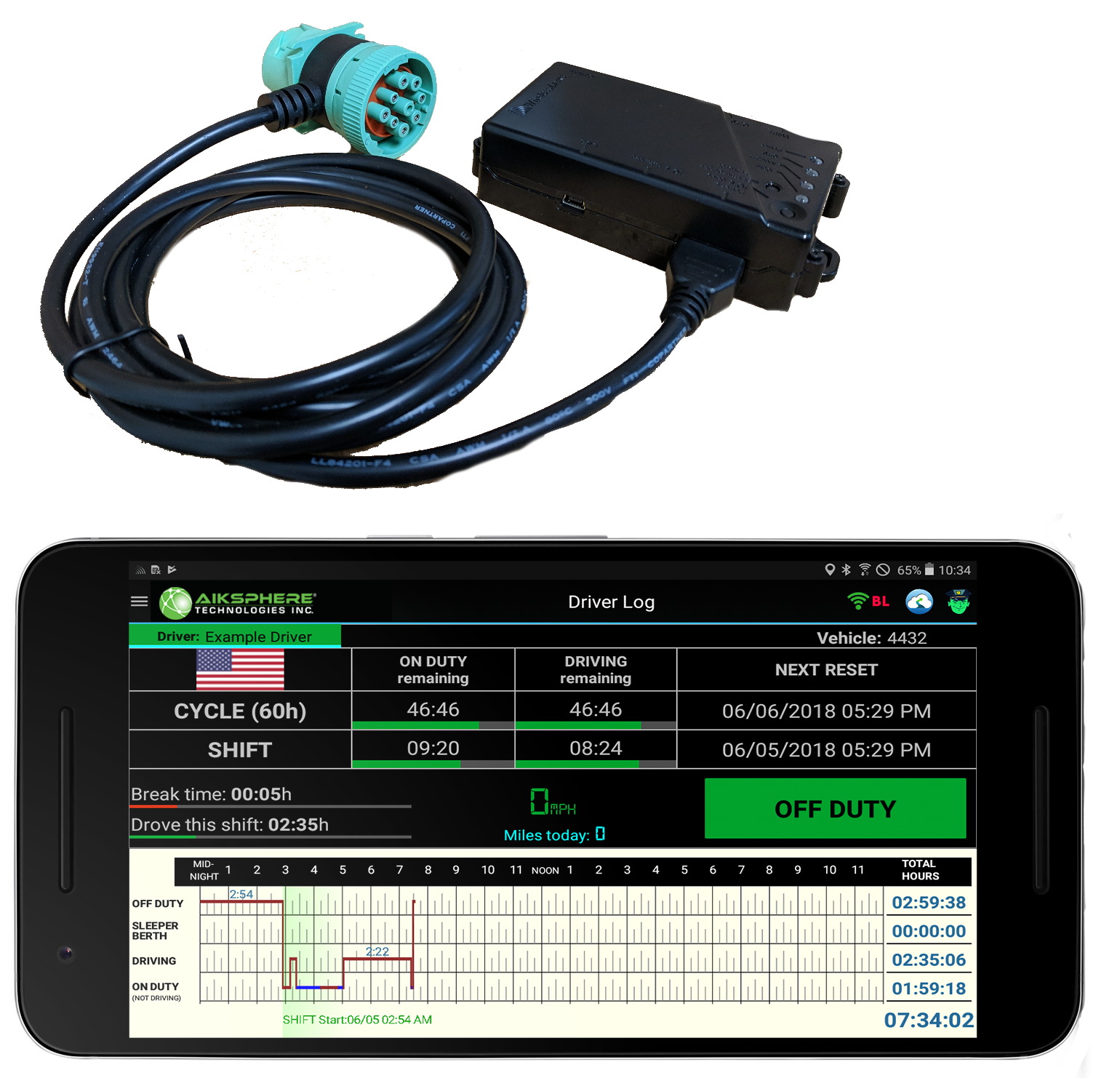
| Vendor | Device Name | Model Number | Approved Version |
|---|---|---|---|
| | AIKS ELOG PICPLUS | PCP4G | 3.9.6 or Higher |
Data Transfer and Reporting Procedures
>Malfunctions and Testing
When entering an inspection scenario, the driver follows the instructions provided on his printed one page manual which instructs the driver to press the "Officer Button" located on the top right of the DriverLog apps' home screen display. This will launch the Officer View. The officer view features a "Send" button and an Add comment button, which allows the officer to enter his identifier and send out the ELD data file through web services or email (both options are available). Following the guidance of the ELD section of the Federal Register...section "4.10.1. Data Transfer Mechanisms," we allow the officer to use both e-mail or Web Services to transfer the driver's data to the official FMCSA ELD e-mail address or the the FMCSA's Web Service repository. Currently the e-mail is formatted exactly to section "4.10.1.2. Wireless Data Transfer Through Email" specifications stated in the Federal Register. Web Services will utilize the SOAP protocol, per the FMCSA documentation, to transmit the ELD data file and the output file comment entered by the inspecting officer.Certification Statement
Each malfunction has been coded following the "Standard Coding for Required Compliance Malfunction and Data Diagnostic Event Detection" definitions regarding "Malfunction/Diagnostic Code", "Malfunction Description" and "Data Diagnostic Event." Power Compliance monitoring assures that the ELD will become fully functional within one minute of the engine on event and remain on as long as the vehicle's engine stays powered. Engine Synchronization monitoring determines our connection to the ECM. This alerts the driver if there is a loss of connectivity to the ECM. For Timing Compliance Monitoring, we periodically check UTC time via the internet. For Positioning Compliance the ELD records the location, and uses the last valid position measurement and includes the latitude and longitude coordinates and distance traveled in miles, since the last valid position measurement. We also measure the elapsed time during periods when the ELD does not require a valid position measurement within 5 miles. If the time exceeds 60 minutes in a 24 hour period, it is marked as a positioning compliance malfunction. An ELD monitors its storage capacity and integrity and detects data recording compliance malfunction if it can no longer record or retain required events or retrieve recorded logs that are not otherwise catalogued remotely by the motor carrier. The ELD monitors the completeness of the ELD event record information in relation to the required data elements for each event type and records a missing data elements data diagnostics event for the driver if any required field is missing at the time of recording. We check to make sure that our data transfer mechanism works properly at least once every 7 days. All Data Diagnostic events are handled similarly according to the mandate.
User Manual: HOS Manual .pdf
Blue Link GPS
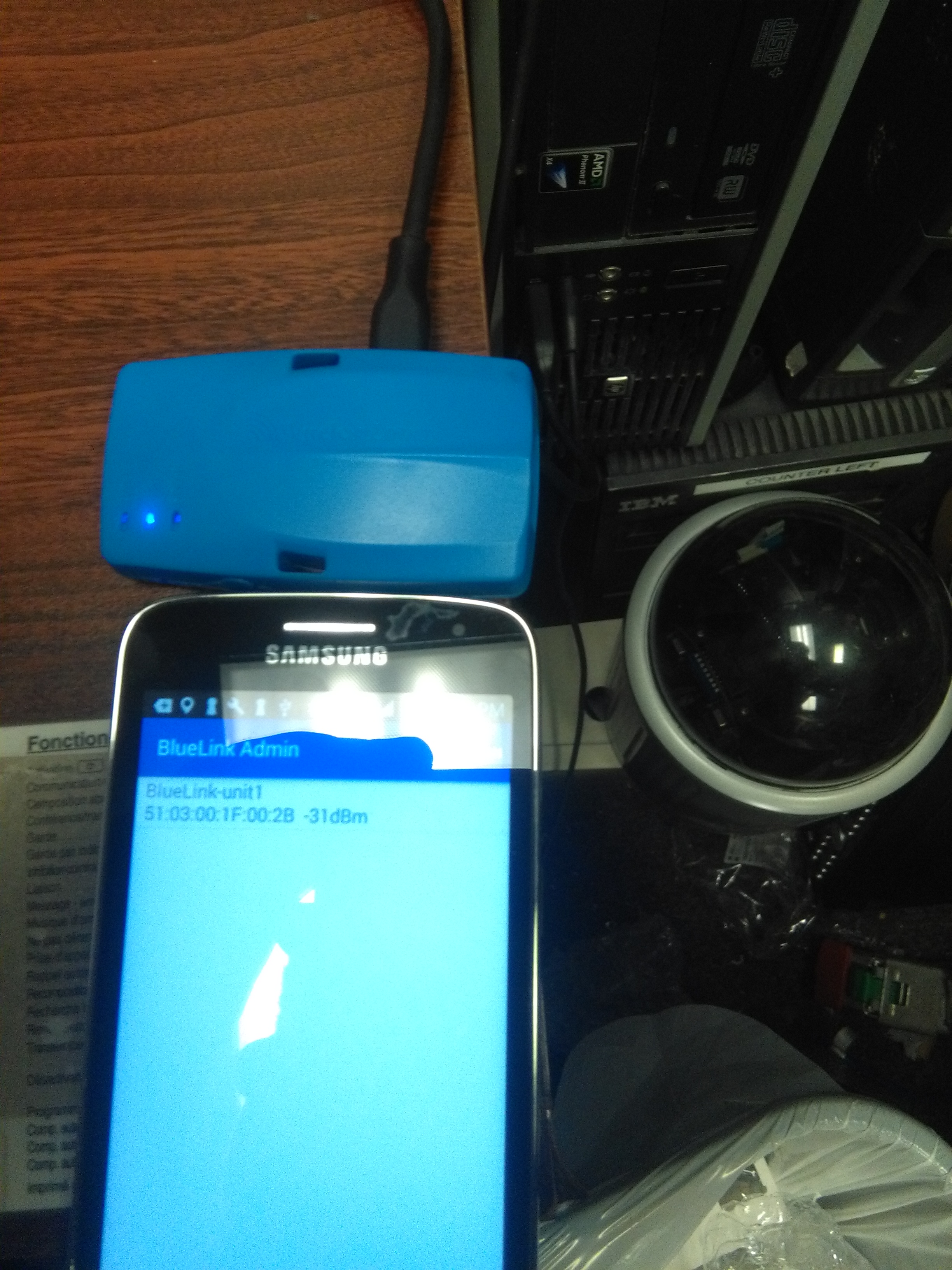
| Vendor | Device Name | Model Number | Approved Version |
|---|---|---|---|
| | Blue Link GPS | BlueLink | 3.0.6 |
Data Transfer and Reporting Procedures
>Malfunctions and Testing
There is a one page document describing how the officer can enter “officer mode” by clicking on the icon on the top right “officer icon” present on all screens. Once in “officer mode” the Daily Header and Full Day ELD Record defined by the FMCSA are displayed. On the bottom of the page there is a button marked “send report.” Clicking this button brings up the window to email the report to any email address entered. It also features an option to submit the data to the FMCSA web services endpoint. This will utilize the SOAP protocol, per the FMCSA documentation, to transmit the ELD data file and the output file comment entered by the inspecting officer.Certification Statement
Each malfunction has been coded following the "Standard Coding for Required Compliance Malfunction and Data Diagnostic Event Detection" definitions regarding "Malfunction/Diagnostic Code", "Malfunction Description" and "Data Diagnostic Event." Power Compliance monitoring assures that the ELD will become fully functional within one minute of the engine on event and remain on as long as the vehicle's engine stays powered. Engine Synchronization monitoring determines our connection to the ECM. This alerts the driver if there is a loss of connectivity to the ECM. For Timing Compliance Monitoring, we periodically check UTC time via the internet. For Positioning Compliance the ELD records the location, and uses the last valid position measurement and includes the latitude and longitude coordinates and distance traveled in miles, since the last valid position measurement. We also measure the elapsed time during periods when the ELD does not require a valid position measurement within 5 miles. If the time exceeds 60 minutes in a 24 hour period, it is marked as a positioning compliance malfunction. An ELD monitors its storage capacity and integrity and detects data recording compliance malfunction if it can no longer record or retain required events or retrieve recorded logs that are not otherwise catalogued remotely by the motor carrier. The ELD monitors the completeness of the ELD event record information in relation to the required data elements for each event type and records a missing data elements data diagnostics event for the driver if any required field is missing at the time of recording. We check to make sure that our data transfer mechanism works properly at least once every 7 days. All Data Diagnostic events are handled similarly according to the mandate.
User Manual: FMCSA_DriverLog_Manual.pdf
CarJack ELD
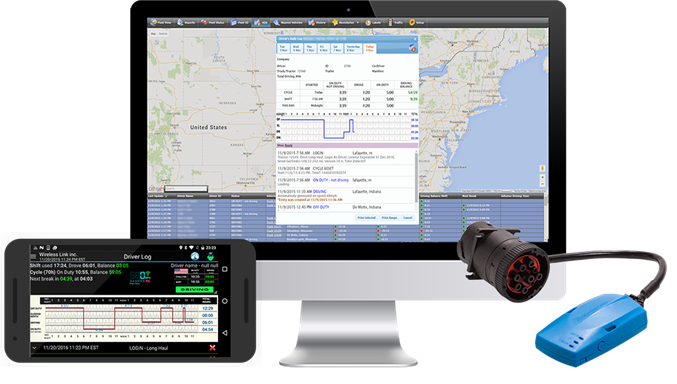
| Vendor | Device Name | Model Number | Approved Version |
|---|---|---|---|
| | CarJack ELD | Blue Link | 3.0.6 |
Data Transfer and Reporting Procedures
>Malfunctions and Testing
When entering an inspection scenario, the driver follows the instructions provided on his printed one page manual which instructs the driver to press the "Officer Button" located on the top right of the DriverLog apps' home screen display. This will launch the Officer View. The officer view features a "Send" button and an Add comment button, which allows the officer to enter his identifier and send out the ELD data file through web services or email (both options are available). Following the guidance of the ELD section of the Federal Register...section "4.10.1. Data Transfer Mechanisms," we allow the officer to use both e-mail or Web Services to transfer the driver's data to the official FMCSA ELD e-mail address or the the FMCSA's Web Service repository. Currently the e-mail is formatted exactly to section "4.10.1.2. Wireless Data Transfer Through Email" specifications stated in the Federal Register. Web Services will utilize the SOAP protocol, per the FMCSA documentation, to transmit the ELD data file and the output file comment entered by the inspecting officer.Certification Statement
Each malfunction has been coded following the "Standard Coding for Required Compliance Malfunction and Data Diagnostic Event Detection" definitions regarding "Malfunction/Diagnostic Code", "Malfunction Description" and "Data Diagnostic Event." Power Compliance monitoring assures that the ELD will become fully functional within one minute of the engine on event and remain on as long as the vehicle's engine stays powered. Engine Synchronization monitoring determines our connection to the ECM. This alerts the driver if there is a loss of connectivity to the ECM. For Timing Compliance Monitoring, we periodically check UTC time via the internet. For Positioning Compliance the ELD records the location, and uses the last valid position measurement and includes the latitude and longitude coordinates and distance traveled in miles, since the last valid position measurement. We also measure the elapsed time during periods when the ELD does not require a valid position measurement within 5 miles. If the time exceeds 60 minutes in a 24 hour period, it is marked as a positioning compliance malfunction. An ELD monitors its storage capacity and integrity and detects data recording compliance malfunction if it can no longer record or retain required events or retrieve recorded logs that are not otherwise catalogued remotely by the motor carrier. The ELD monitors the completeness of the ELD event record information in relation to the required data elements for each event type and records a missing data elements data diagnostics event for the driver if any required field is missing at the time of recording. We check to make sure that our data transfer mechanism works properly at least once every 7 days. All Data Diagnostic events are handled similarly according to the mandate.
DriverLog
| Vendor | Device Name | Model Number | Approved Version |
|---|---|---|---|
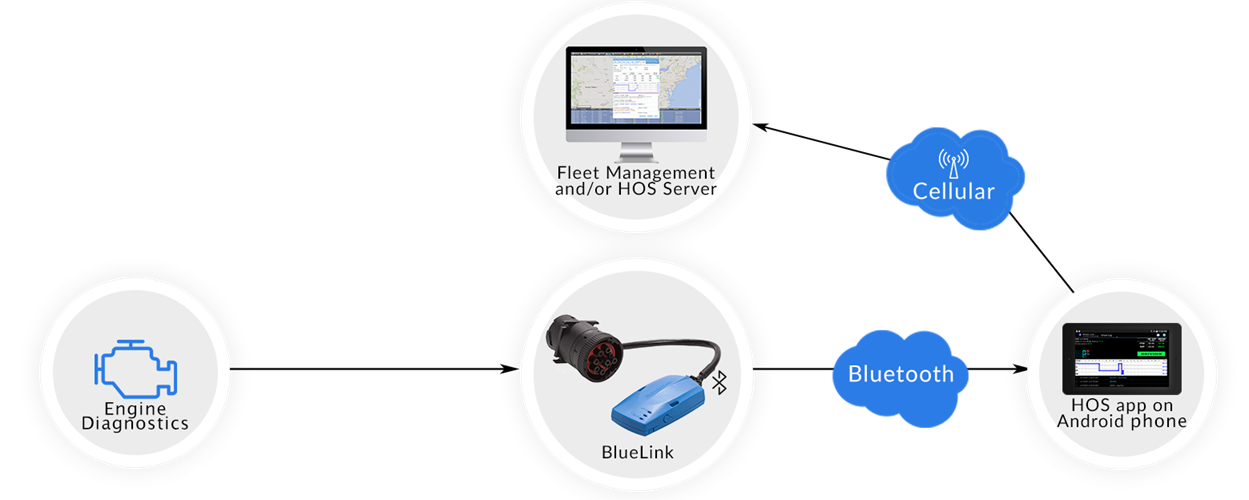
| | DriverLog | BlueLink | 2.1.0 and up |
Data Transfer and Reporting Procedures
> Telematic (Web Service, Email)Malfunctions and Testing
When entering an inspection scenario, the driver follows the instructions provided on his printed one page manual which instructs the driver to press the "Officer Button" located on the top right of the DriverLog apps' home screen display. This will launch the Officer View. Following the guidance of the ELD section of the Federal Register...section "4.10.1. Data Transfer Mechanisms," we allow the officer to use both e-mail or Web Services to transfer the driver's data to an e-mail address or the the FMCSA's Web Service repository. Currently the e-mail is formatted exactly to section "4.10.1.2. Wireless Data Transfer Through Email" specifications stated in the Federal Register. Web Services are as fleshed out as possible and we are awaiting further instructions from the FMCSA to make this aspect fully functional.Certification Statement
Malfunction detection is robustly executed to contain all malfunction scenarios listed in "Table 4" of the Driver Log final rule. These malfunctions include, Power Compliance which monitors the Unidentified Driver activity. Engine Synchronization verifies that we are connected to the vehicle's ECM. Timing which validates successful synchronization with UTC time. Positioning continuously monitors the accuracy of our GPS data. Data Recording monitors available storage capacity on our device. Data Transfer checks at least once a week for connectivity to an online server. In addition to the FMCSA's required malfunction reports, our proprietary error checking, logs the wellness of the device and reports this data back to our support team for instant feedback.
User Manual: FMCSA_DriverLog_Manual.pdf
DriverLog
| Vendor | Device Name | Model Number | Approved Version |
|---|---|---|---|
| | DriverLog | BlueLink | 5.4.5 and up |
Data Transfer and Reporting Procedures
> Telematic (Web Service, Email)Malfunctions and Testing
When entering an inspection scenario, the driver follows the instructions provided on his printed one page manual which instructs the driver to press the "Officer Button" located on the top right of the DriverLog apps' home screen display. This will launch the Officer View. Following the guidance of the ELD section of the Federal Register...section "4.10.1. Data Transfer Mechanisms," we allow the officer to use both e-mail or Web Services to transfer the driver's data to an e-mail address or the the FMCSA's Web Service repository. Currently the e-mail is formatted exactly to section "4.10.1.2. Wireless Data Transfer Through Email" specifications stated in the Federal Register. Web Services are as fleshed out as possible and we are awaiting further instructions from the FMCSA to make this aspect fully functional.Certification Statement
Malfunction detection is robustly executed to contain all malfunction scenarios listed in "Table 4" of the Driver Log final rule. These malfunctions include, Power Compliance which monitors the Unidentified Driver activity. Engine Synchronization verifies that we are connected to the vehicle's ECM. Timing which validates successful synchronization with UTC time. Positioning continuously monitors the accuracy of our GPS data. Data Recording monitors available storage capacity on our device. Data Transfer checks at least once a week for connectivity to an online server. In addition to the FMCSA's required malfunction reports, our proprietary error checking, logs the wellness of the device and reports this data back to our support team for instant feedback.
User Manual: FMCSA_DriverLog_Manual.pdf
DriverLog
| Vendor | Device Name | Model Number | Approved Version |
|---|---|---|---|
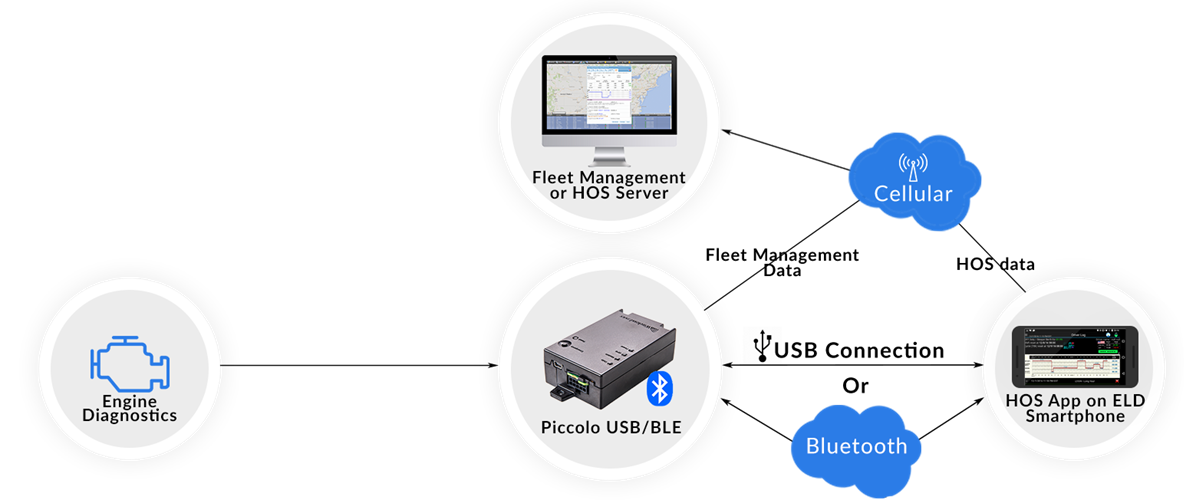
| | DriverLog | Piccolo BLE/USB | 3.0.7 and up |
Data Transfer and Reporting Procedures
> Telematic (Web Service, Email)Malfunctions and Testing
There is a one page document describing how the officer can enter “officer mode” by clicking on the icon on the top right “officer icon” present on all screens. Once in “officer mode” the Daily Header and Full Day ELD Record defined by the FMCSA are displayed. On the bottom of the page there is a button marked “send report.” Clicking this button brings up the window to email the report to any email address entered. It also features an option to submit the data to the FMCSA web services endpoint. This will utilize the SOAP protocol, per the FMCSA documentation, to transmit the ELD data file and the output file comment entered by the inspecting officer.Certification Statement
Each malfunction has been coded following the "Standard Coding for Required Compliance Malfunction and Data Diagnostic Event Detection" definitions regarding "Malfunction/Diagnostic Code", "Malfunction Description" and "Data Diagnostic Event." Power Compliance monitoring assures that the ELD will become fully functional within one minute of the engine on event and remain on as long as the vehicle's engine stays powered. Engine Synchronization monitoring determines our connection to the ECM. This alerts the driver if there is a loss of connectivity to the ECM. For Timing Compliance Monitoring, we periodically check UTC time via the internet. For Positioning Compliance the ELD records the location, and uses the last valid position measurement and includes the latitude and longitude coordinates and distance traveled in miles, since the last valid position measurement. We also measure the elapsed time during periods when the ELD does not require a valid position measurement within 5 miles. If the time exceeds 60 minutes in a 24 hour period, it is marked as a positioning compliance malfunction. An ELD monitors its storage capacity and integrity and detects data recording compliance malfunction if it can no longer record or retain required events or retrieve recorded logs that are not otherwise catalogued remotely by the motor carrier. The ELD monitors the completeness of the ELD event record information in relation to the required data elements for each event type and records a missing data elements data diagnostics event for the driver if any required field is missing at the time of recording. We check to make sure that our data transfer mechanism works properly at least once every 7 days. All Data Diagnostic events are handled similarly according to the mandate.
User Manual: FMCSA_DriverLog_Manual.pdf
DriverLog
| Vendor | Device Name | Model Number | Approved Version |
|---|---|---|---|
| | DriverLog | Piccolo BLE/USB | 5.4.5 and up |
Data Transfer and Reporting Procedures
> Telematic (Web Service, Email)Malfunctions and Testing
There is a one page document describing how the officer can enter “officer mode” by clicking on the icon on the top right “officer icon” present on all screens. Once in “officer mode” the Daily Header and Full Day ELD Record defined by the FMCSA are displayed. On the bottom of the page there is a button marked “send report.” Clicking this button brings up the window to email the report to any email address entered. It also features an option to submit the data to the FMCSA web services endpoint. This will utilize the SOAP protocol, per the FMCSA documentation, to transmit the ELD data file and the output file comment entered by the inspecting officer.Certification Statement
Each malfunction has been coded following the "Standard Coding for Required Compliance Malfunction and Data Diagnostic Event Detection" definitions regarding "Malfunction/Diagnostic Code", "Malfunction Description" and "Data Diagnostic Event." Power Compliance monitoring assures that the ELD will become fully functional within one minute of the engine on event and remain on as long as the vehicle's engine stays powered. Engine Synchronization monitoring determines our connection to the ECM. This alerts the driver if there is a loss of connectivity to the ECM. For Timing Compliance Monitoring, we periodically check UTC time via the internet. For Positioning Compliance the ELD records the location, and uses the last valid position measurement and includes the latitude and longitude coordinates and distance traveled in miles, since the last valid position measurement. We also measure the elapsed time during periods when the ELD does not require a valid position measurement within 5 miles. If the time exceeds 60 minutes in a 24 hour period, it is marked as a positioning compliance malfunction. An ELD monitors its storage capacity and integrity and detects data recording compliance malfunction if it can no longer record or retain required events or retrieve recorded logs that are not otherwise catalogued remotely by the motor carrier. The ELD monitors the completeness of the ELD event record information in relation to the required data elements for each event type and records a missing data elements data diagnostics event for the driver if any required field is missing at the time of recording. We check to make sure that our data transfer mechanism works properly at least once every 7 days. All Data Diagnostic events are handled similarly according to the mandate.
User Manual: FMCSA_DriverLog_Manual.pdf
DriverLog
| Vendor | Device Name | Model Number | Approved Version |
|---|---|---|---|
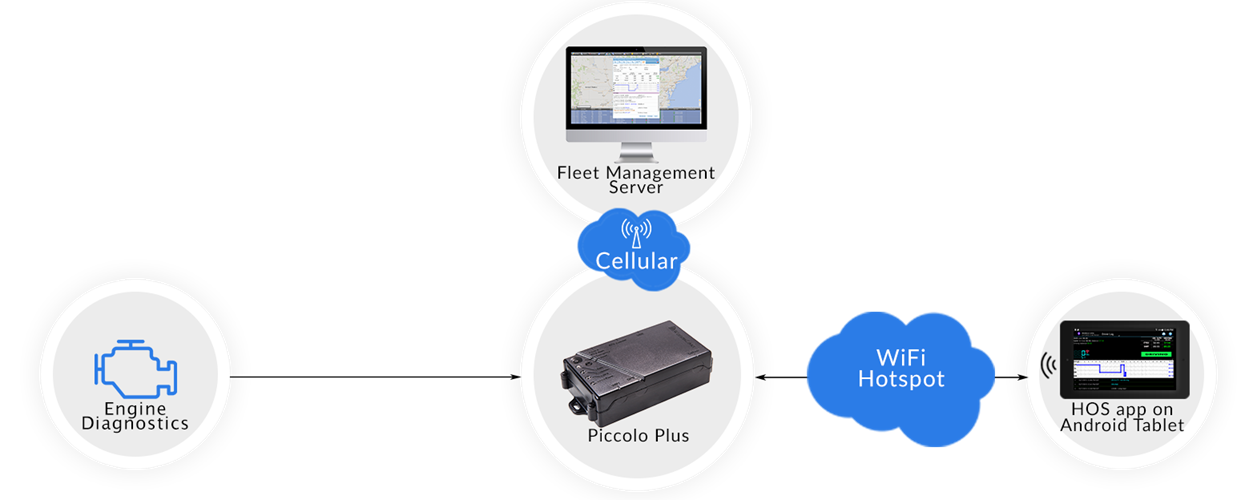
| | DriverLog | Piccolo Plus | 2.1.0 and up |
Data Transfer and Reporting Procedures
> Telematic (Web Service, Email)Malfunctions and Testing
The Driver or Officer presses the "Officer Icon" on the top right of the home screen. This brings up the "Officer View." Next click Send Report on the bottom of the screen. Enter the destination email and click "Send."Certification Statement
We developed DriverLog following the specifications of the final ruling. Every malfunction code and every diagnostic event has been tested with an ECM (Jbus) simulator at our lab and then we tested it driving in an SUV with the Piccolo Plus and BlueLink respectively connected to the ECM sending the data to the ELD . Every malfunction and/or diagnostic event is being registered with the respective code on the Officer screen and separately with full detailed explanation on the Driver Screen. Whenever a Diagnostic Event or Malfunction code occurs there is an alert and the officer icon changes from green to yellow or red depending on whether or not we are in or out of compliance.
User Manual: FMCSA DriverLog Manual.pdf
DriverLog
| Vendor | Device Name | Model Number | Approved Version |
|---|---|---|---|
| | DriverLog | Piccolo Plus | 5.4.5 and up |
Data Transfer and Reporting Procedures
> Telematic (Web Service, Email)Malfunctions and Testing
The Driver or Officer presses the "Officer Icon" on the top right of the home screen. This brings up the "Officer View." Next click Send Report on the bottom of the screen. Enter the destination email and click "Send."Certification Statement
We developed DriverLog following the specifications of the final ruling. Every malfunction code and every diagnostic event has been tested with an ECM (Jbus) simulator at our lab and then we tested it driving in an SUV with the Piccolo Plus and BlueLink respectively connected to the ECM sending the data to the ELD . Every malfunction and/or diagnostic event is being registered with the respective code on the Officer screen and separately with full detailed explanation on the Driver Screen. Whenever a Diagnostic Event or Malfunction code occurs there is an alert and the officer icon changes from green to yellow or red depending on whether or not we are in or out of compliance.
User Manual: FMCSA DriverLog Manual.pdf
EZ DriverLog
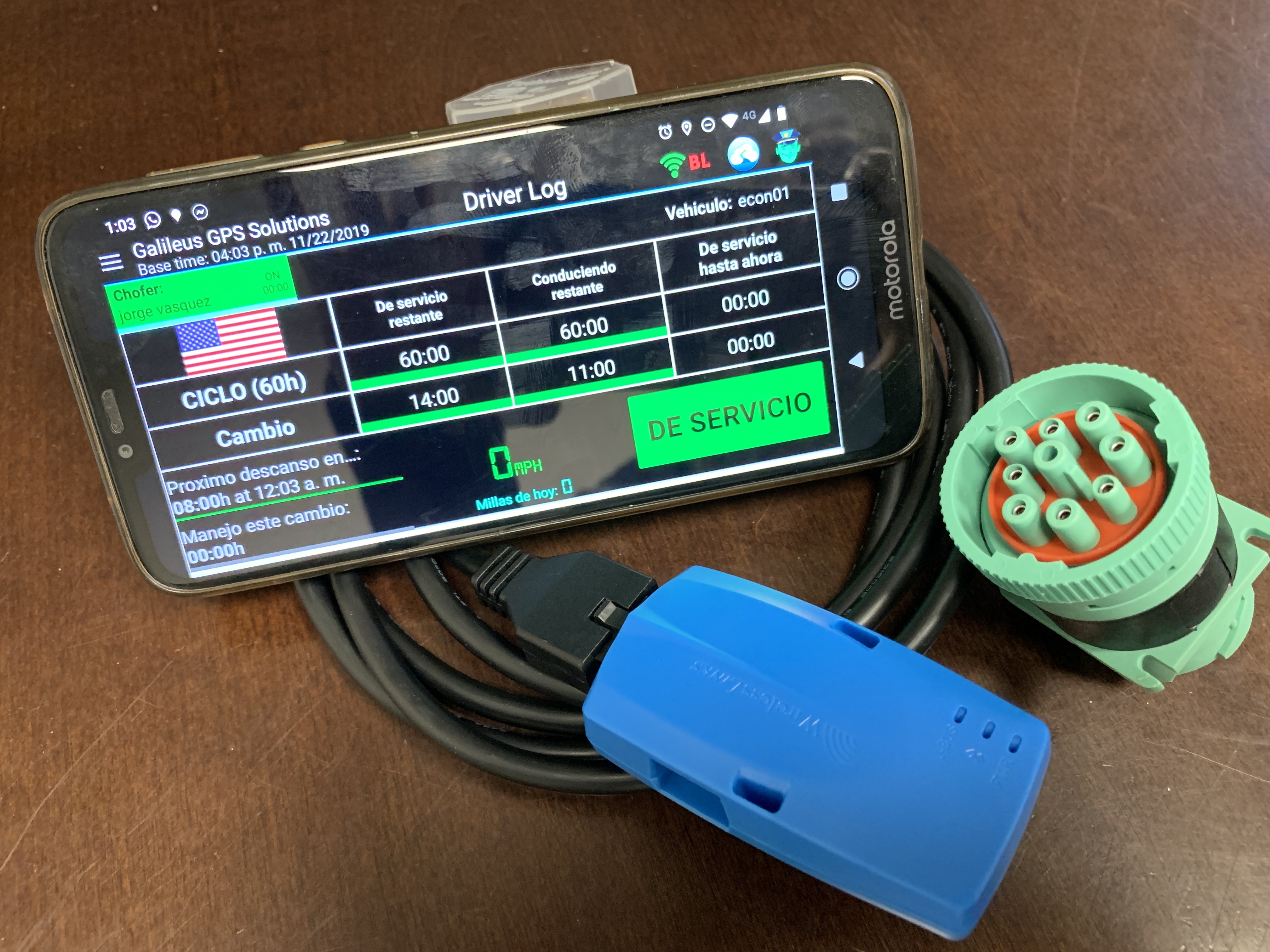
| Vendor | Device Name | Model Number | Approved Version |
|---|---|---|---|
| | EZ DriverLog | BlueLink | 4.4.9 |
Data Transfer and Reporting Procedures
>Malfunctions and Testing
When entering an inspection scenario, the driver follows the instructions provided on his printed one page manual which instructs the driver to press the "Officer Button" located on the top right of the DriverLog app home screen display. This will launch the Officer View. The Officer view features a "Send" button and an Add comment button, which allows the officer to enter his identifier and send out the ELD data file through web services or email (Both options are available) Following the guidance of the ELD Section of the Federal Register...section "4.10.1. Data Transfer Mechanisms", we allow the officer to use both e-mail or Web Services to transfer the driver's data to the official FMCSA ELD e-mail address or the FMCSA's Web Service repository, Currently the e-mail is formatted exactly to section "4.10.1.2. Wireless Data Transfer Through Email", specifications stated in the Federal Register. Web Services will utilize the SOAP protocol, per the FMCSA documentation, to transmit the ELD data file and the output file comment entered by the inspecting officer.Certification Statement
Malfunction detection is robustly executed to contain all malfunction scenarios listed in "Table 4" of the Driver Log final rule. this malfunctions include, Power compliance which monitor the unidentified Driver activity. Engine Synchronization verifies that we are connected to the vehicle's ECM. Timing which validates successful synchronization with UTC time. Positioning continuously monitor the accuracy of our GPS data. Data Recording monitors available storage capacity on our device. Data Transfer checks at least ones a week for connectivity to an online service . in addition to the FMCSA's required malfunctions reports, our proprietary error checking , logs the wellness of the device and reports this data back to our support team for instant feedback.
User Manual: FMCSA_DriverLog_Manual.pdf
Gm Transport eLog
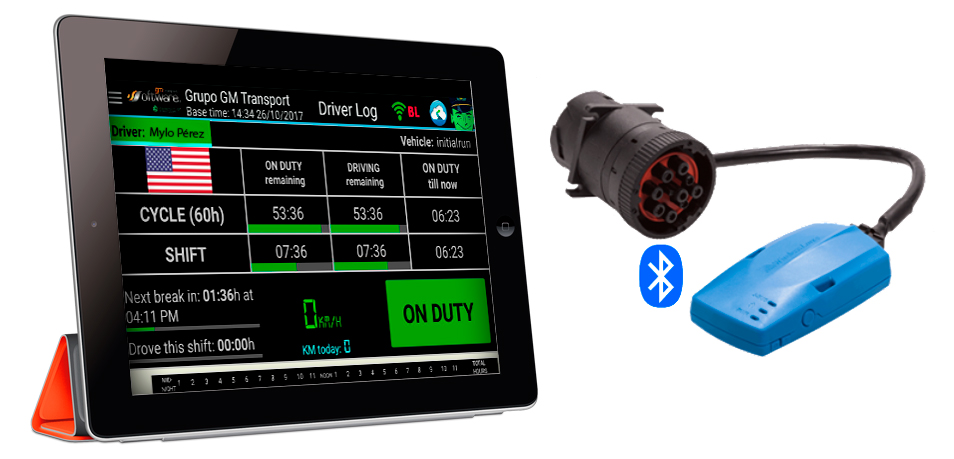
| Vendor | Device Name | Model Number | Approved Version |
|---|---|---|---|
| | Gm Transport eLog | BlueLink | 3.0.6 |
Data Transfer and Reporting Procedures
>Malfunctions and Testing
There is a one page document describing how the officer can enter “officer mode” by clicking on the icon on the top right “officer icon” present on all screens. Once in “officer mode” the Daily Header and Full Day ELD Record defined by the FMCSA are displayed. On the bottom of the page there is a button marked “send report.” Clicking this button brings up the window to email the report to any email address entered. It also features an option to submit the data to the FMCSA web services endpoint. This will utilize the SOAP protocol, per the FMCSA documentation, to transmit the ELD data file and the output file comment entered by the inspecting officer.Description of the supported and certified data transfer mechanisms and step-by-step instructions for a driver to produce and transfer the ELD records to an authorized safety officialCertification Statement
Summary of Malfunctions: Each malfunction has been coded following the "Standard Coding for Required Compliance Malfunction and Data Diagnostic Event Detection" definitions regarding "Malfunction/Diagnostic Code", "Malfunction Description" and "Data Diagnostic Event." Power Compliance monitoring assures that the ELD will become fully functional within one minute of the engine on event and remain on as long as the vehicle's engine stays powered. Engine Synchronization monitoring determines our connection to the ECM. This alerts the driver if there is a loss of connectivity to the ECM. For Timing Compliance Monitoring, we periodically check UTC time via the internet. For Positioning Compliance the ELD records the location, and uses the last valid position measurement and includes the latitude and longitude coordinates and distance traveled in miles, since the last valid position measurement. We also measure the elapsed time during periods when the ELD does not require a valid position measurement within 5 miles. If the time exceeds 60 minutes in a 24 hour period, it is marked as a positioning compliance malfunction. An ELD monitors its storage capacity and integrity and detects data recording compliance malfunction if it can no longer record or retain required events or retrieve recorded logs that are not otherwise catalogued remotely by the motor carrier. The ELD monitors the completeness of the ELD event record information in relation to the required data elements for each event type and records a missing data elements data diagnostics event for the driver if any required field is missing at the time of recording. We check to make sure that our data transfer mechanism works properly at least once every 7 days. All Data Diagnostic events are handled similarly according to the mandate.
User Manual: GMTS_Manual_for_Drivers.pdf
GPS FAST ELD
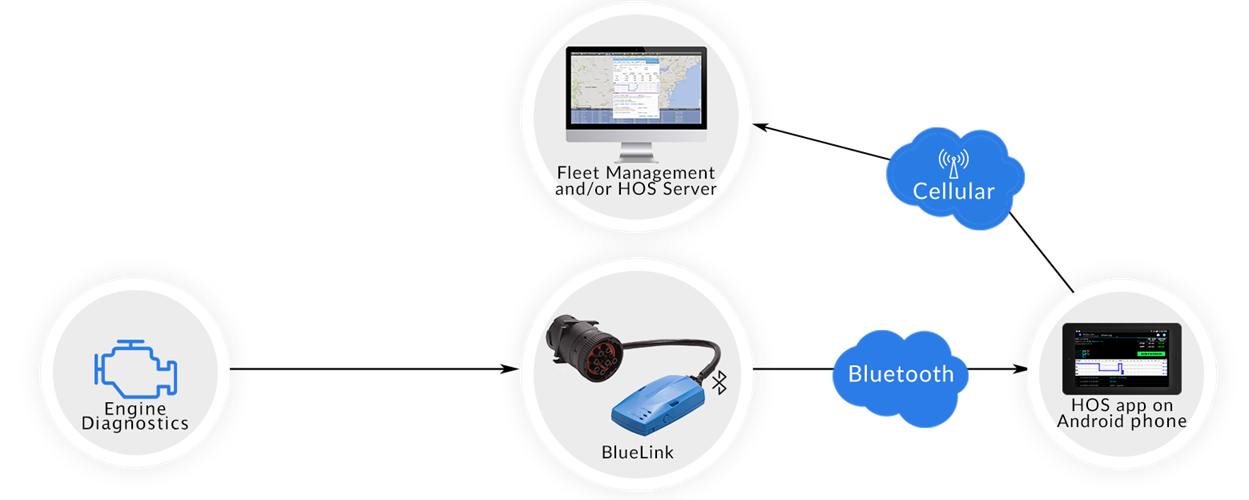
| Vendor | Device Name | Model Number | Approved Version |
|---|---|---|---|
| | GPS FAST ELD | GFE CANADA 2020 | 2.6.7 |
Data Transfer and Reporting Procedures
>Malfunctions and Testing
There is a one page document describing how the officer can enter “officer mode” by clicking on the icon on the top right “officer icon” present on all screens. Once in “officer mode” the Daily Header and Full Day ELD Record defined by the FMCSA are displayed. On the bottom of the page there is a button marked “send report.” Clicking this button brings up the window to email the report to any email address entered.Certification Statement
All Malfunctions (Engine synchronization, power compliance, etc.) are recorded and given the appropriate Diagnostic Code. See example below. Summary of Malfunctions: HOS Log,For Fleet Date from 3/1/2017 12:00AM TO 3/10/2017 11:59 PM TIME BACK TIME EVENT TYPE LOCATION NOTES 3/2/2017 03:31:14AM Malfunction TORONTO,ON Code:E, Description:Malfunction-Engine synchronization compliance Odometer:659800.00
User Manual: GPSFAST CANADA-USA FMCSA DL Manual.pdf
GpsBorder eLog
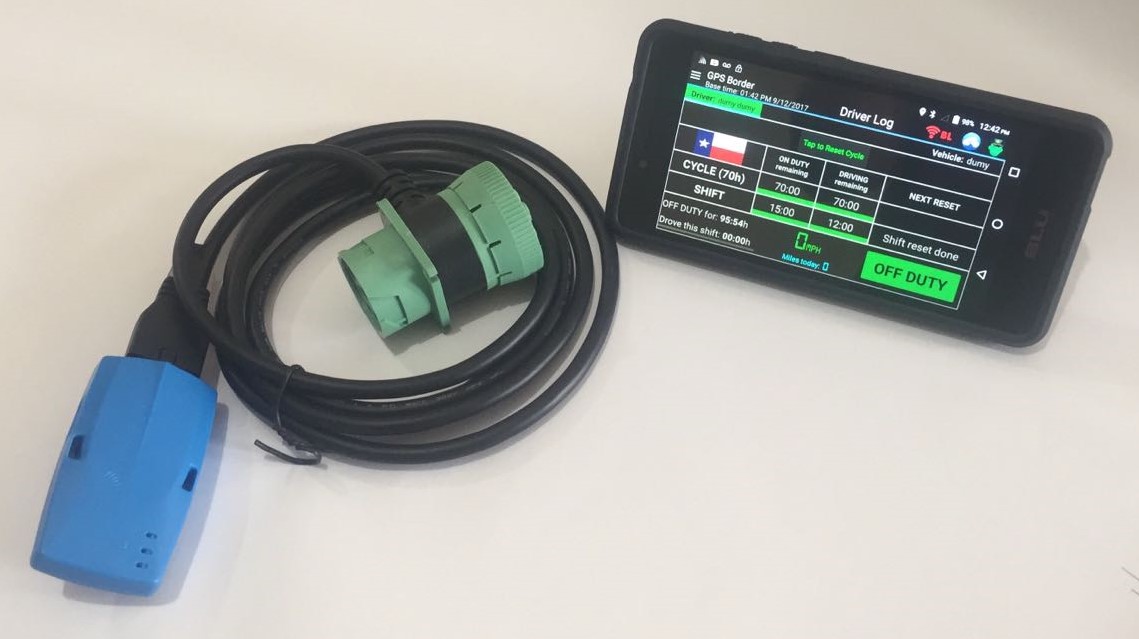
| Vendor | Device Name | Model Number | Approved Version |
|---|---|---|---|
| | GpsBorder eLog | BlueLink | 4.3.3 |
Data Transfer and Reporting Procedures
>Malfunctions and Testing
Following the guidance of the ELD section of the Federal Register...section "4.10.1. Data Transfer Mechanisms," we allow the officer to use both e-mail or Web Services to transfer the driver's data to an e-mail address or the the FMCSA's Web Service repository. Currently the e-mail is formatted exactly to section "4.10.1.2. Wireless Data Transfer Through Email" specifications stated in the Federal Register. Web Services are as fleshed out as possible and we are awaiting further instructions from the FMCSA to make this aspect fully functional. Description of the supported and certified data transfer mechanisms and step-by-step instructions for a driver to produce and transfer the ELD records to an authorized safety officialCertification Statement
All Malfunctions (Engine synchronization, power compliance, etc.) are recorded and given the appropriate Diagnostic Code. See example below. HOS Log, For Fleet Date From 3/1/2017 12:00 AM to 3/10/2017 11:59 PM Time - 3/2/2017 2:31:14 AM Back Time Event Time - Malfunction Location - Troy, NY Note - Code: E, Description: Malfunction - Engine synchronization compliance, Odometer : 559800.0
User Manual: HOS_Manual_for_Drivers.pdf
Kuktrack ELD
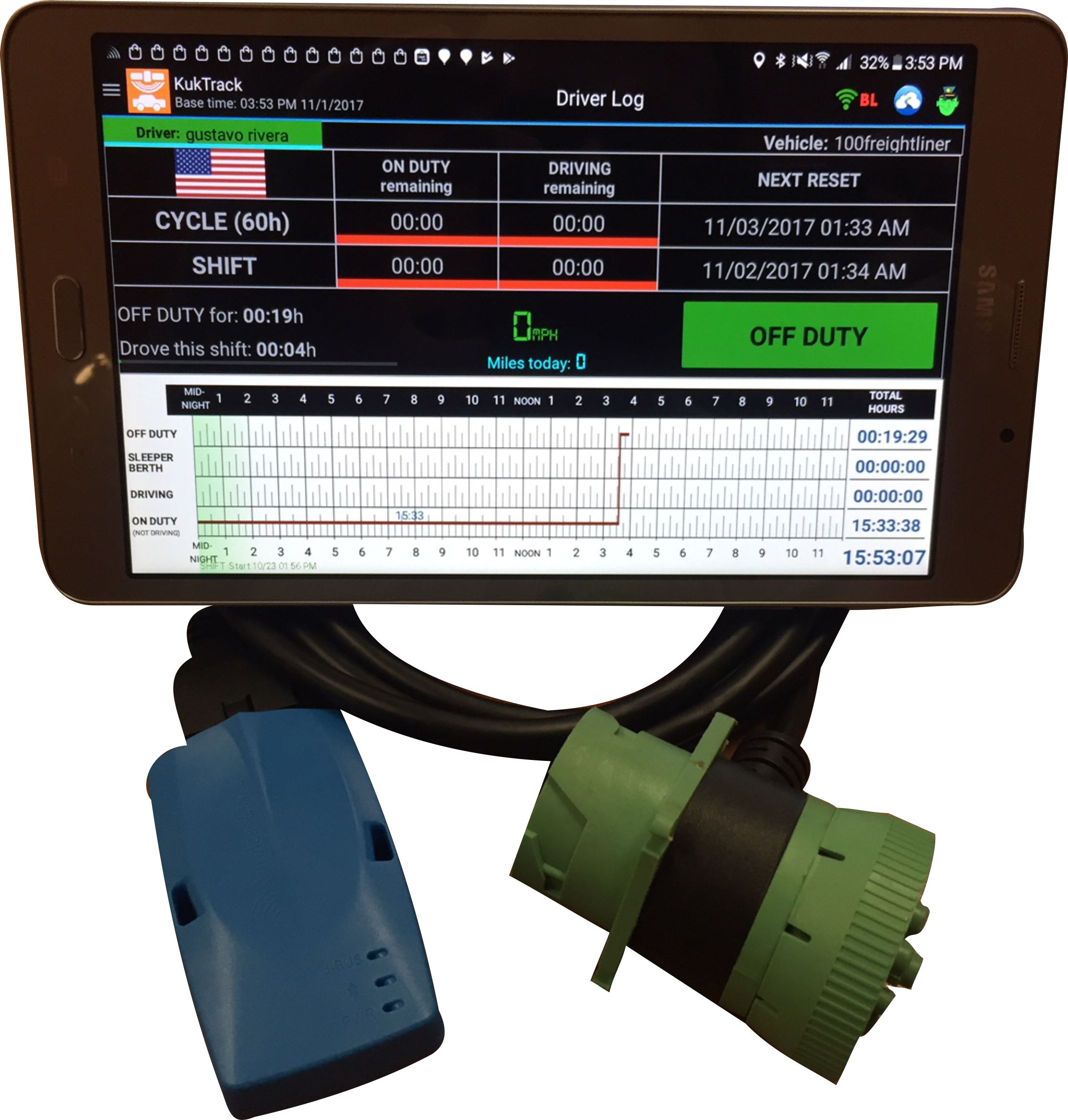
| Vendor | Device Name | Model Number | Approved Version |
|---|---|---|---|
| | Kuktrack ELD | BlueLink | 3.0.6 |
Data Transfer and Reporting Procedures
>Malfunctions and Testing
There is a one page document describing how the officer can enter “officer mode” by clicking on the icon on the top right “officer icon” present on all screens. Once in “officer mode” the Daily Header and Full Day ELD Record defined by the FMCSA are displayed. On the bottom of the page there is a button marked “send report.” Clicking this button brings up the window to email the report to any email address entered. Now that Web Services are available, we are completing the Web Services transfer method development.Certification Statement
Each malfunction has been coded following the "Standard Coding for Required Compliance Malfunction and Data Diagnostic Event Detection" definitions regarding "Malfunction/Diagnostic Code", "Malfunction Description" and "Data Diagnostic Event." Power Compliance monitoring assures that the ELD will become fully functional within one minute of the engine on event and remain on as long as the vehicle's engine stays powered. Engine Synchronization monitoring determines our connection to the ECM. This alerts the driver if there is a loss of connectivity to the ECM. For Timing Compliance Monitoring, we periodically check UTC time via the internet. For Positioning Compliance the ELD records the location, and uses the last valid position measurement and includes the latitude and longitude coordinates and distance traveled in miles, since the last valid position measurement. We also measure the elapsed time during periods when the ELD does not require a valid position measurement within 5 miles. If the time exceeds 60 minutes in a 24 hour period, it is marked as a positioning compliance malfunction. An ELD monitors its storage capacity and integrity and detects data recording compliance malfunction if it can no longer record or retain required events or retrieve recorded logs that are not otherwise catalogued remotely by the motor carrier. The ELD monitors the completeness of the ELD event record information in relation to the required data elements for each event type and records a missing data elements data diagnostics event for the driver if any required field is missing at the time of recording. We check to make sure that our data transfer mechanism works properly at least once every 7 days. All Data Diagnostic events are handled similarly according to the mandate.
User Manual: HOS_Manual_for_Drivers.pdf
MegaELD
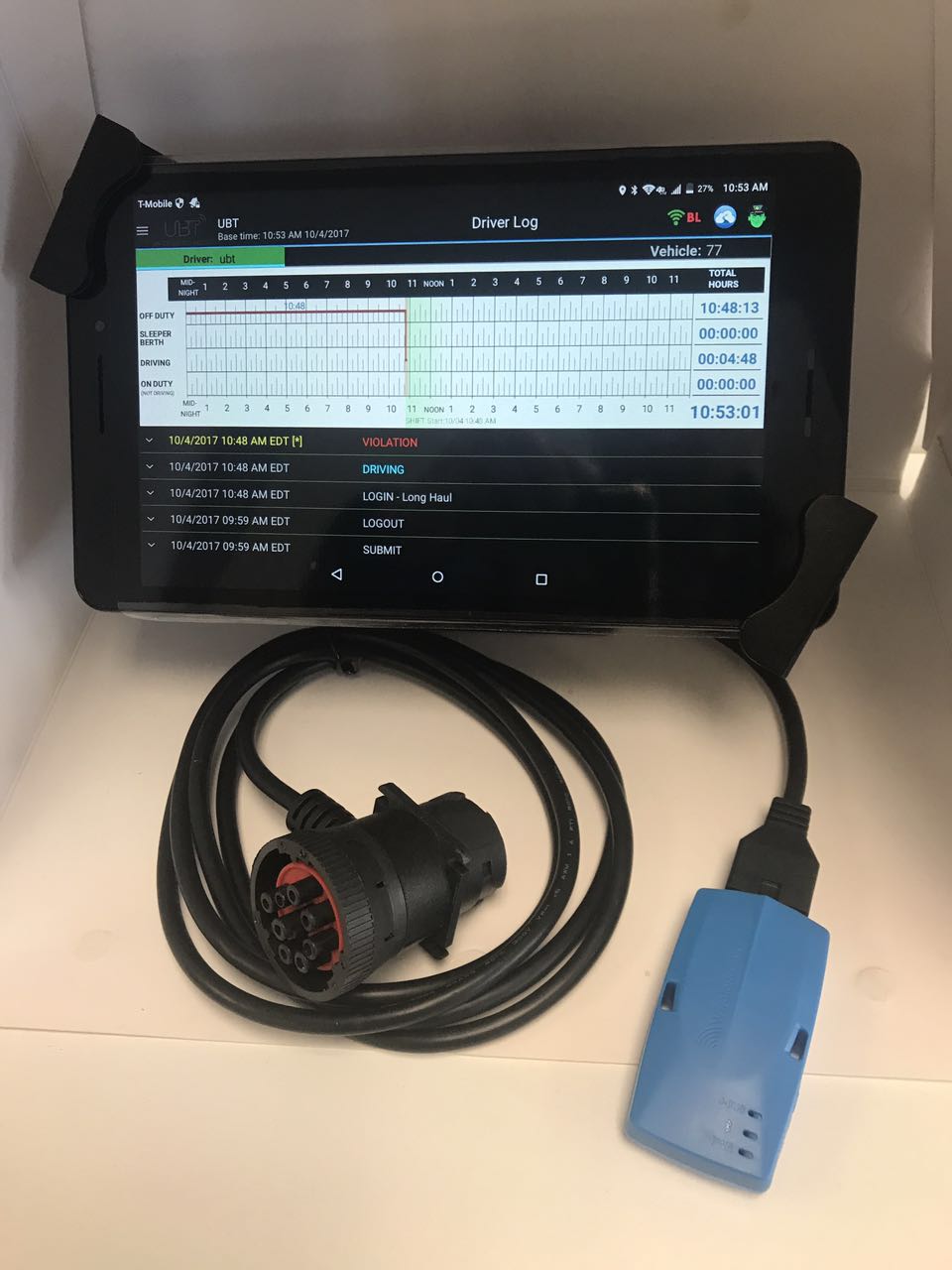
| Vendor | Device Name | Model Number | Approved Version |
|---|---|---|---|
| | MegaELD | BlueLink | 3.0.7 |
Data Transfer and Reporting Procedures
>Malfunctions and Testing
There is a one page document describing how the officer can enter “officer mode” by clicking on the icon on the top right “officer icon” present on all screens. Once in “officer mode” the Daily Header and Full Day ELD Record defined by the FMCSA are displayed. On the bottom of the page there is a button marked “send report.” Clicking this button brings up the window to email the report to any email address entered. Now that Web Services are available, we are completing the Web Services transfer method development.Certification Statement
Each malfunction has been coded following the "Standard Coding for Required Compliance Malfunction and Data Diagnostic Event Detection" definitions regarding "Malfunction/Diagnostic Code", "Malfunction Description" and "Data Diagnostic Event." Power Compliance monitoring assures that the ELD will become fully functional within one minute of the engine on event and remain on as long as the vehicle's engine stays powered. Engine Synchronization monitoring determines our connection to the ECM. This alerts the driver if there is a loss of connectivity to the ECM. For Timing Compliance Monitoring, we periodically check UTC time via the internet. For Positioning Compliance the ELD records the location, and uses the last valid position measurement and includes the latitude and longitude coordinates and distance traveled in miles, since the last valid position measurement. We also measure the elapsed time during periods when the ELD does not require a valid position measurement within 5 miles. If the time exceeds 60 minutes in a 24 hour period, it is marked as a positioning compliance malfunction. An ELD monitors its storage capacity and integrity and detects data recording compliance malfunction if it can no longer record or retain required events or retrieve recorded logs that are not otherwise catalogued remotely by the motor carrier. The ELD monitors the completeness of the ELD event record information in relation to the required data elements for each event type and records a missing data elements data diagnostics event for the driver if any required field is missing at the time of recording. We check to make sure that our data transfer mechanism works properly at least once every 7 days. All Data Diagnostic events are handled similarly according to the mandate.
User Manual: HOS_Manual_for_Drivers.pdf
MobileTRAQ ELD Link1
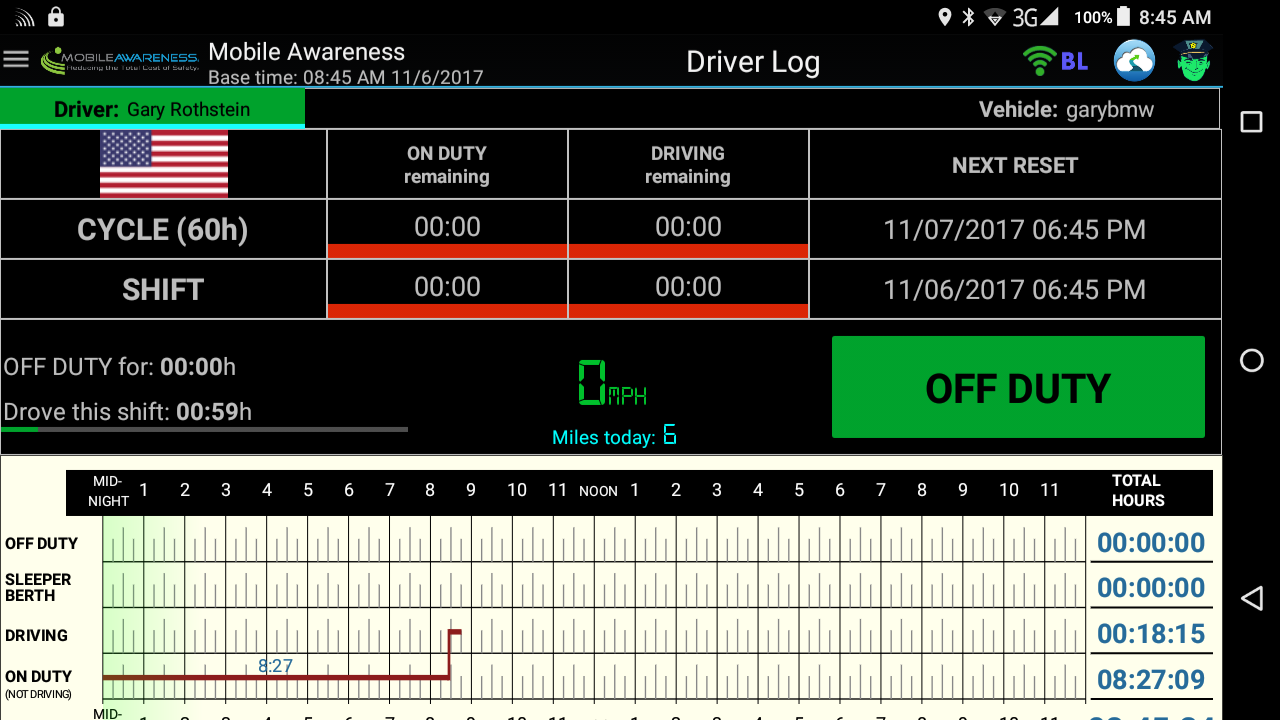
| Vendor | Device Name | Model Number | Approved Version |
|---|---|---|---|
| | MobileTRAQ ELD Link1 | MA-MBLT-ELD1 | 3.1.5 |
Data Transfer and Reporting Procedures
>Malfunctions and Testing
There is a one page document describing how the officer can enter “officer mode” by clicking on the icon on the top right “officer icon” present on all screens. Once in “officer mode” the Daily Header and Full Day ELD Record defined by the FMCSA are displayed. On the bottom of the page there is a button marked “send report.” Clicking this button brings up the window to email the report to any email address entered. Now that Web Services are available, we have completed the Web Services transfer method.Certification Statement
Each malfunction has been coded following the "Standard Coding for Required Compliance Malfunction and Data Diagnostic Event Detection" definitions regarding "Malfunction/Diagnostic Code", "Malfunction Description" and "Data Diagnostic Event." Power Compliance monitoring assures that the ELD will become fully functional within one minute of the engine on event and remain on as long as the vehicle's engine stays powered. Engine Synchronization monitoring determines our connection to the ECM. This alerts the driver if there is a loss of connectivity to the ECM. For Timing Compliance Monitoring, we periodically check UTC time via the internet. For Positioning Compliance the ELD records the location, and uses the last valid position measurement and includes the latitude and longitude coordinates and distance traveled in miles, since the last valid position measurement. We also measure the elapsed time during periods when the ELD does not require a valid position measurement within 5 miles. If the time exceeds 60 minutes in a 24 hour period, it is marked as a positioning compliance malfunction. An ELD monitors its storage capacity and integrity and detects data recording compliance malfunction if it can no longer record or retain required events or retrieve recorded logs that are not otherwise catalogued remotely by the motor carrier. The ELD monitors the completeness of the ELD event record information in relation to the required data elements for each event type and records a missing data elements data diagnostics event for the driver if any required field is missing at the time of recording. We check to make sure that our data transfer mechanism works properly at least once every 7 days. All Data Diagnostic events are handled similarly according to the mandate.
User Manual: HOS_Manual_for_Drivers Rev 1.0.9.pdf
Prometheus_HOS
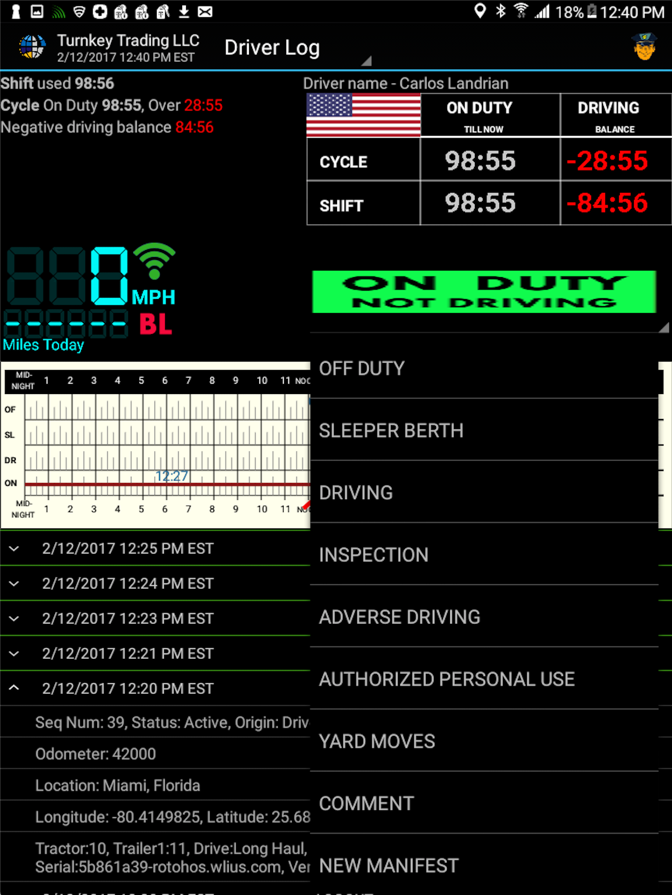
| Vendor | Device Name | Model Number | Approved Version |
|---|---|---|---|
| | Prometheus_HOS | HOS_BL | Ver. 5.0.3 |
Data Transfer and Reporting Procedures
There is a one page document describing how the officer can enter “officer mode” by clicking on the icon on the top right “officer icon” present on all screens. Once in “officer mode” the Daily Header and Full Day ELD Record defined by the FMCSA are displayed. On the bottom of the page there is a button marked “send report.” Clicking this button brings up the window to email the report to any email address entered.Malfunctions and Testing
All Malfunctions (Engine synchronization, power compliance, etc.) are recorded and given the appropriate Diagnostic Code. See example below. HOS Log, For Fleet Date From 3/1/2017 12:00 AM to 3/10/2017 11:59 PM Time Back Time Event Type Location Notes 3/2/2017 03:31:14 AM Malfunction Troy, NY Code E, Description Malfunction - Engine Syncronization compliance Odometer:559800Certification Statement
We have tested all features according to the regulation and have tested for Failures in Communication and HW Failure as well as we have integrated remote management to provide the companies excellent remote management of the trucks for our support department to expedite any Malfunctions or Driver education that may be needed while the truck is on the road.
User Manual: Prometheus_HOS_Manual_040621.pdf
Prometheus_HOS
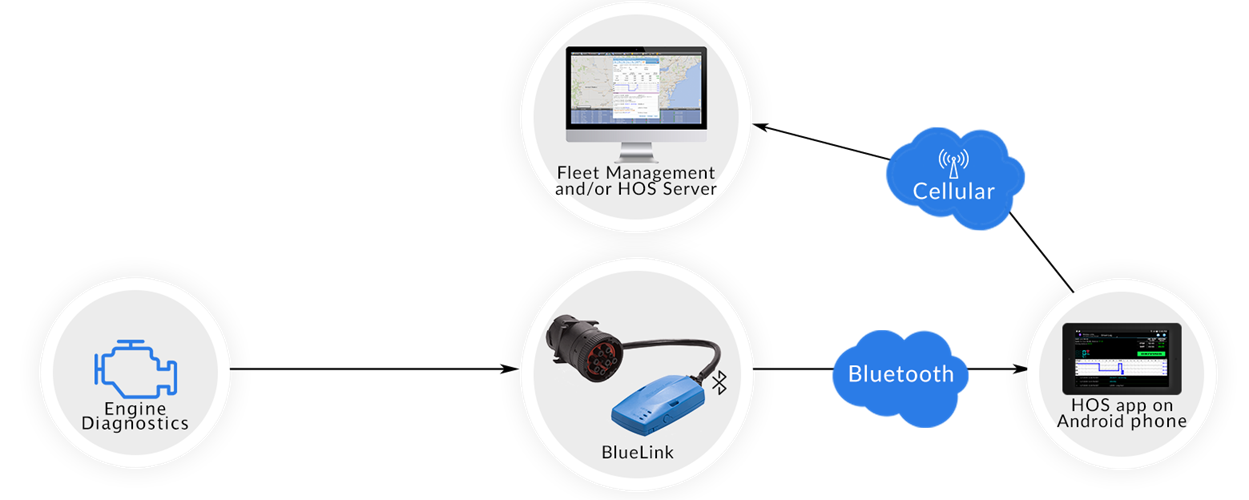
| Vendor | Device Name | Model Number | Approved Version |
|---|---|---|---|
| | Prometheus_HOS | HOS_BL | Ver. 5.1.0 |
Data Transfer and Reporting Procedures
> Telematic (Web Service, Email)Malfunctions and Testing
When entering an inspection scenario, the driver follows the instructions provided on his printed one page manual which instructs the driver to press the "Officer Button" located on the top right of the DriverLog apps' home screen display. This will launch the Officer View. Following the guidance of the ELD section of the Federal Register...section "4.10.1. Data Transfer Mechanisms," we allow the officer to use both e-mail or Web Services to transfer the driver's data to an e-mail address or the the FMCSA's Web Service repository. Currently the e-mail is formatted exactly to section "4.10.1.2. Wireless Data Transfer Through Email" specifications stated in the Federal Register. Web Services are as fleshed out as possible and we are awaiting further instructions from the FMCSA to make this aspect fully functional.Certification Statement
Malfunction detection is robustly executed to contain all malfunction scenarios listed in "Table 4" of the Driver Log final rule. These malfunctions include, Power Compliance which monitors the Unidentified Driver activity. Engine Synchronization verifies that we are connected to the vehicle's ECM. Timing which validates successful synchronization with UTC time. Positioning continuously monitors the accuracy of our GPS data. Data Recording monitors available storage capacity on our device. Data Transfer checks at least once a week for connectivity to an online server. In addition to the FMCSA's required malfunction reports, our proprietary error checking, logs the wellness of the device and reports this data back to our support team for instant feedback.
User Manual: Prometheus_HOS_Manual_040621.pdf
Roadside ELD
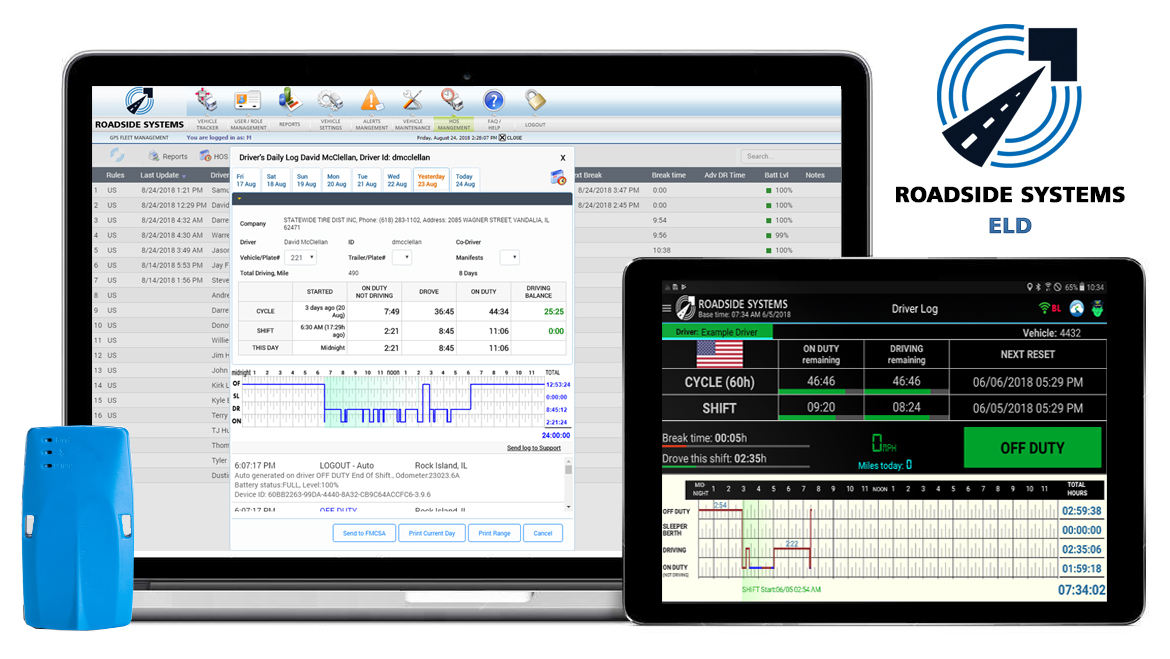
| Vendor | Device Name | Model Number | Approved Version |
|---|---|---|---|
| | Roadside ELD | RSELD | 3.0.6 |
Data Transfer and Reporting Procedures
> Telematic (Web Service, Email)Malfunctions and Testing
There is a one page document describing how the officer can enter “officer mode” by clicking on the icon on the top right “officer icon” present on all screens. Once in “officer mode” the Daily Header and Full Day ELD Record defined by the FMCSA are displayed. On the bottom of the page there is a button marked “send report.” Clicking this button brings up the window to email the report to any email address entered. The Web Services method is complete and functional. If there is an error, we will see a response similar to: {"Status":"Error","Errors":["The submitted ELD file is blank and does not contain any usable information. Please check to make sure you have submitted the correct file.
"]} If there is a success, we receive a message stating that the file was sent successfully: {"Status":"Information","Errors":["File Received"]}Certification Statement
Each malfunction has been coded following the "Standard Coding for Required Compliance Malfunction and Data Diagnostic Event Detection" definitions regarding "Malfunction/Diagnostic Code", "Malfunction Description" and "Data Diagnostic Event." Power Compliance monitoring assures that the ELD will become fully functional within one minute of the engine on event and remain on as long as the vehicle's engine stays powered. Engine Synchronization monitoring determines our connection to the ECM. This alerts the driver if there is a loss of connectivity to the ECM. For Timing Compliance Monitoring, we periodically check UTC time via the internet. For Positioning Compliance the ELD records the location, and uses the last valid position measurement and includes the latitude and longitude coordinates and distance traveled in miles, since the last valid position measurement. We also measure the elapsed time during periods when the ELD does not require a valid position measurement within 5 miles. If the time exceeds 60 minutes in a 24 hour period, it is marked as a positioning compliance malfunction. An ELD monitors its storage capacity and integrity and detects data recording compliance malfunction if it can no longer record or retain required events or retrieve recorded logs that are not otherwise catalogued remotely by the motor carrier. The ELD monitors the completeness of the ELD event record information in relation to the required data elements for each event type and records a missing data elements data diagnostics event for the driver if any required field is missing at the time of recording. We check to make sure that our data transfer mechanism works properly at least once every 7 days. All Data Diagnostic events are handled similarly according to the mandate.
User Manual: RoadsideELD Manual.pdf
Zeek GPS
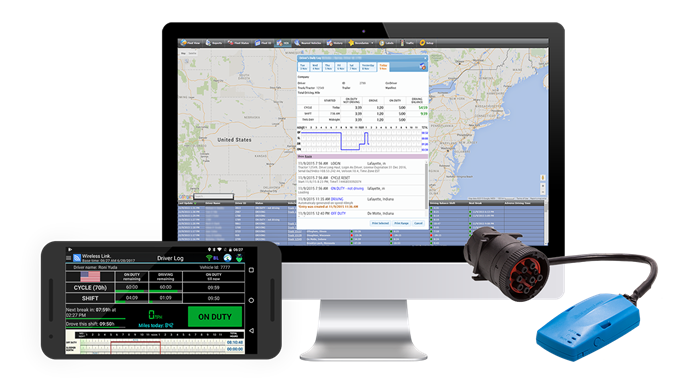
| Vendor | Device Name | Model Number | Approved Version |
|---|---|---|---|
| | Zeek GPS | Blue Link | 3.0.6 |
Data Transfer and Reporting Procedures
>Malfunctions and Testing
There is a one page document describing how the officer can enter “officer mode” by clicking on the icon on the top right “officer icon” present on all screens. Once in “officer mode” the Daily Header and Full Day ELD Record defined by the FMCSA are displayed. On the bottom of the page there is a button marked “send report.” Clicking this button brings up the window to email the report to any email address entered. It also features an option to submit the data to the FMCSA web services endpoint. This will utilize the SOAP protocol, per the FMCSA documentation, to transmit the ELD data file and the output file comment entered by the inspecting officer.Certification Statement
Each malfunction has been coded following the "Standard Coding for Required Compliance Malfunction and Data Diagnostic Event Detection" definitions regarding "Malfunction/Diagnostic Code", "Malfunction Description" and "Data Diagnostic Event." Power Compliance monitoring assures that the ELD will become fully functional within one minute of the engine on event and remain on as long as the vehicle's engine stays powered. Engine Synchronization monitoring determines our connection to the ECM. This alerts the driver if there is a loss of connectivity to the ECM. For Timing Compliance Monitoring, we periodically check UTC time via the internet. For Positioning Compliance the ELD records the location, and uses the last valid position measurement and includes the latitude and longitude coordinates and distance traveled in miles, since the last valid position measurement. We also measure the elapsed time during periods when the ELD does not require a valid position measurement within 5 miles. If the time exceeds 60 minutes in a 24 hour period, it is marked as a positioning compliance malfunction. An ELD monitors its storage capacity and integrity and detects data recording compliance malfunction if it can no longer record or retain required events or retrieve recorded logs that are not otherwise catalogued remotely by the motor carrier. The ELD monitors the completeness of the ELD event record information in relation to the required data elements for each event type and records a missing data elements data diagnostics event for the driver if any required field is missing at the time of recording. We check to make sure that our data transfer mechanism works properly at least once every 7 days. All Data Diagnostic events are handled similarly according to the mandate.
User Manual: HOS_Manual_for_Drivers.pdf