
Products with ELD "EROAD1"
- EROAD-ELD Version v1.46.300 or higher
- EROAD-ELD Version v1.73.309 or higher
- EROAD-ELD Version v1.75.317 or higher
Below you will find a list of products with the ELD "EROAD1" obtained from our database, including their available manuals, documentation, and images.
Click the corresponding vendor name to obtain additional information on the manufacturer, as well as contact information for further troubleshooting.
EROAD ELD
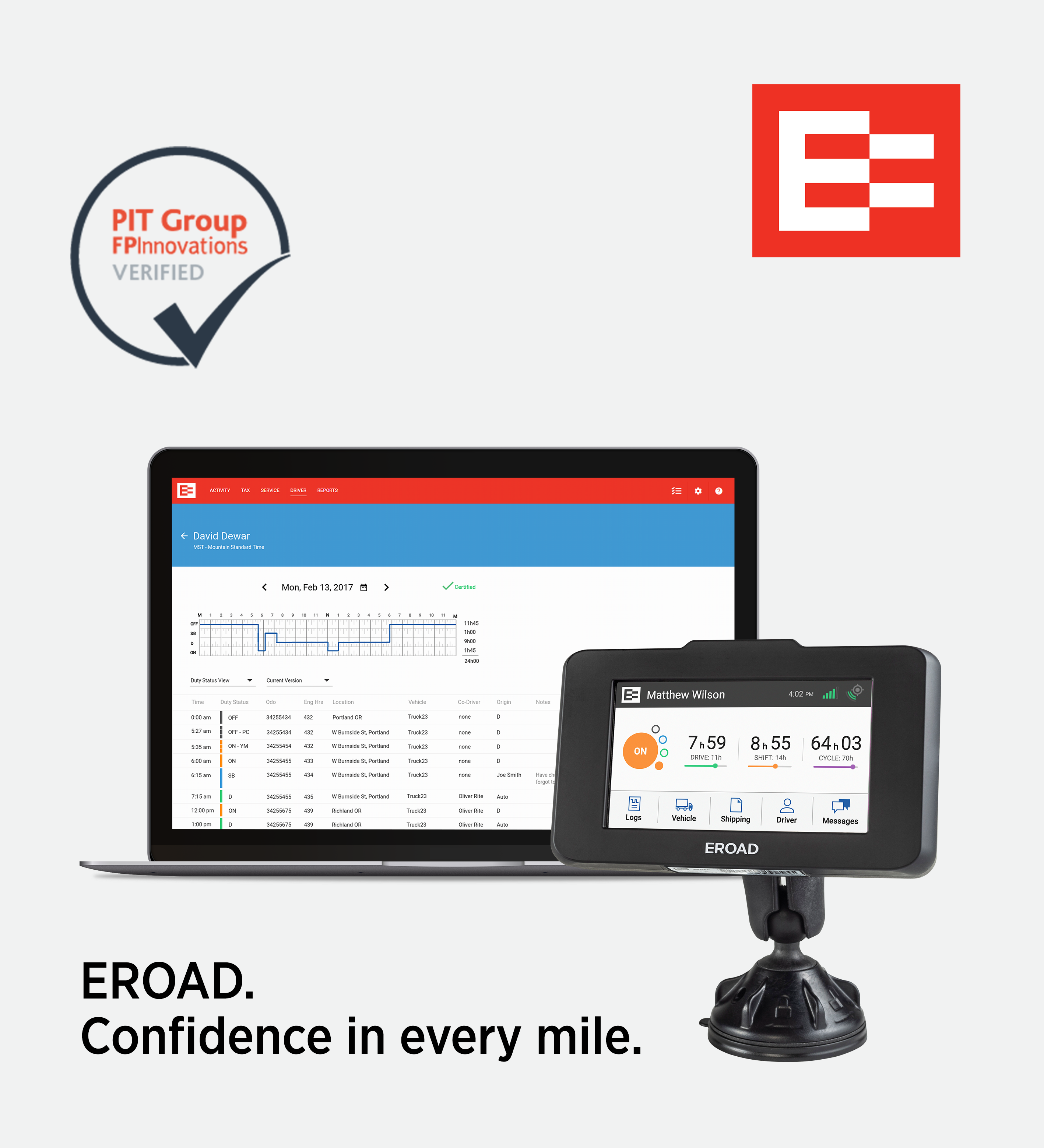
| Vendor | Device Name | Model Number | Approved Version |
|---|---|---|---|
| | EROAD ELD | Ehubo 2 | v1.46.300 or higher |
Data Transfer and Reporting Procedures
>Malfunctions and Testing
EROAD ELD supports Option 1, Telematics transfer methods, of both the Wireless Web services and Email to transfer the generated ELD data output to the computing environment used by the authorized safety official. Instructions for a driver to produce and transfer the ELD records using EROAD ELD: Email Transfer Step 1. From the driver’s “Logs” screen, tap the “Roadside” icon. Step 2. Tap the “Transfer” button. Step 3. Select the option for “Email”. Step 4. Enter the Safety Official Code in the “Comment” field. Step 5. Tap the “Send” button to complete the transfer. A confirmation message will confirm whether the file was transferred successfully. Web Services Transfer Step 1. From the driver’s “Logs” screen, tap the “Roadside” icon. Step 2. Tap the “Transfer” button. Step 3. Select the option for “Web Services”. Step 4. Enter the Safety Official Code in the “Comment” field. Step 5. Tap the “Send” button to complete the transfer. A confirmation message will confirm whether the file was transferred successfully. EROAD certifies that the capability for the Wireless Web Services and Email methods to transfer the ELD data output has been developed and will validate against FMCSA’s test procedures, when they are finalized.Certification Statement
EROAD ELD has the capability to monitor, detect and record events related to malfunctions and data inconsistencies. Malfunction Events Code P – “Power Compliance” – is caused by more than 30 minutes of driving time lost in a 24-hour period. Code E – “Engine Synchronization Compliance” – is caused by more than 30 minutes without ECM engine synchronization over a 24-hour period. Code T – “Timing Compliance” – is caused by a clock discrepancy equal to or exceeding 10 minutes when the ELD synchronizes its time. Code L – “Positioning Compliance” – is caused by the accumulated driving time without a valid position in the first 5 miles of movement exceeding 60 minutes in a 24-hour period. Code R – “Data Recording Compliance” – is caused by an inability to store new events due to either a lack of free storage capacity or a hardware fault. Code S – “Data Transfer Compliance” – is caused by a failure to communicate for three days following a Data Transfer Data Diagnostic event. Data Diagnostic Events Code 1 - “Power Data Diagnostic” - is caused by the ELD not fully functioning within one minute of the engine power on and may be due to wiring or power source fault. Code 2 – “Engine Synchronization Data Diagnostic” – is caused by a wiring or connection fault resulting in a delay of more than 5 seconds in acquiring ECM data. Code 3 – “Missing Required Data Elements Data Diagnostic” – is caused by missing required data due to either a loss of position fix or failed connection to the vehicle’s ECM. Code 4 – “Data Transfer Data Diagnostic” – is caused by the ELD failing to communicate records to the back-end system for seven continuous days. Code 5 – “Unidentified Driving Records Data Diagnostic” – is caused by vehicle being utilized for more than 30 minutes in a 24-hour period without a driver logging in.
User Manual:  MN000820D ELD User Manual Online_Final.pdf
EROAD ELD
| Vendor | Device Name | Model Number | Approved Version |
|---|---|---|---|
| | EROAD ELD | Ehubo 2 | v1.73.309 or higher |
Data Transfer and Reporting Procedures
> Telematic (Web Service, Email)Malfunctions and Testing
EROAD ELD supports Option 1, Telematics transfer methods, of both the Wireless Web services and Email to transfer the generated ELD data output to the computing environment used by the authorized safety official. Instructions for a driver to produce and transfer the ELD records using EROAD ELD: Email Transfer Step 1. From the driver’s “Logs” screen, tap the “Roadside” icon. Step 2. Tap the “Transfer” button. Step 3. Select the option for “Email”. Step 4. Enter the Safety Official Code in the “Comment” field. Step 5. Tap the “Send” button to complete the transfer. A confirmation message will confirm whether the file was transferred successfully. Web Services Transfer Step 1. From the driver’s “Logs” screen, tap the “Roadside” icon. Step 2. Tap the “Transfer” button. Step 3. Select the option for “Web Services”. Step 4. Enter the Safety Official Code in the “Comment” field. Step 5. Tap the “Send” button to complete the transfer. A confirmation message will confirm whether the file was transferred successfully. EROAD certifies that the capability for the Wireless Web Services and Email methods to transfer the ELD data output has been developed and will validate against FMCSA’s test procedures, when they are finalized.Certification Statement
EROAD ELD has the capability to monitor, detect and record events related to malfunctions and data inconsistencies. Malfunction Events Code P – “Power Compliance” – is caused by more than 30 minutes of driving time lost in a 24-hour period. Code E – “Engine Synchronization Compliance” – is caused by more than 30 minutes without ECM engine synchronization over a 24-hour period. Code T – “Timing Compliance” – is caused by a clock discrepancy equal to or exceeding 10 minutes when the ELD synchronizes its time. Code L – “Positioning Compliance” – is caused by the accumulated driving time without a valid position in the first 5 miles of movement exceeding 60 minutes in a 24-hour period. Code R – “Data Recording Compliance” – is caused by an inability to store new events due to either a lack of free storage capacity or a hardware fault. Code S – “Data Transfer Compliance” – is caused by a failure to communicate for three days following a Data Transfer Data Diagnostic event. Data Diagnostic Events Code 1 - “Power Data Diagnostic” - is caused by the ELD not fully functioning within one minute of the engine power on and may be due to wiring or power source fault. Code 2 – “Engine Synchronization Data Diagnostic” – is caused by a wiring or connection fault resulting in a delay of more than 5 seconds in acquiring ECM data. Code 3 – “Missing Required Data Elements Data Diagnostic” – is caused by missing required data due to either a loss of position fix or failed connection to the vehicle’s ECM. Code 4 – “Data Transfer Data Diagnostic” – is caused by the ELD failing to communicate records to the back-end system for seven continuous days. Code 5 – “Unidentified Driving Records Data Diagnostic” – is caused by vehicle being utilized for more than 30 minutes in a 24-hour period without a driver logging in.
User Manual: MN000820D ELD User Manual Online_Final.pdf
EROAD ELD
| Vendor | Device Name | Model Number | Approved Version |
|---|---|---|---|
| | EROAD ELD | Ehubo 2 | v1.75.317 or higher |
Data Transfer and Reporting Procedures
> Telematic (Web Service, Email)Malfunctions and Testing
EROAD ELD supports Option 1, Telematics transfer methods, of both the Wireless Web services and Email to transfer the generated ELD data output to the computing environment used by the authorized safety official. Instructions for a driver to produce and transfer the ELD records using EROAD ELD: Email Transfer Step 1. From the driver’s “Logs” screen, tap the “Roadside” icon. Step 2. Tap the “Transfer” button. Step 3. Select the option for “Email”. Step 4. Enter the Safety Official Code in the “Comment” field. Step 5. Tap the “Send” button to complete the transfer. A confirmation message will confirm whether the file was transferred successfully. Web Services Transfer Step 1. From the driver’s “Logs” screen, tap the “Roadside” icon. Step 2. Tap the “Transfer” button. Step 3. Select the option for “Web Services”. Step 4. Enter the Safety Official Code in the “Comment” field. Step 5. Tap the “Send” button to complete the transfer. A confirmation message will confirm whether the file was transferred successfully. EROAD certifies that the capability for the Wireless Web Services and Email methods to transfer the ELD data output has been developed and will validate against FMCSA’s test procedures, when they are finalized.Certification Statement
EROAD ELD has the capability to monitor, detect and record events related to malfunctions and data inconsistencies. Malfunction Events Code P – “Power Compliance” – is caused by more than 30 minutes of driving time lost in a 24-hour period. Code E – “Engine Synchronization Compliance” – is caused by more than 30 minutes without ECM engine synchronization over a 24-hour period. Code T – “Timing Compliance” – is caused by a clock discrepancy equal to or exceeding 10 minutes when the ELD synchronizes its time. Code L – “Positioning Compliance” – is caused by the accumulated driving time without a valid position in the first 5 miles of movement exceeding 60 minutes in a 24-hour period. Code R – “Data Recording Compliance” – is caused by an inability to store new events due to either a lack of free storage capacity or a hardware fault. Code S – “Data Transfer Compliance” – is caused by a failure to communicate for three days following a Data Transfer Data Diagnostic event. Data Diagnostic Events Code 1 - “Power Data Diagnostic” - is caused by the ELD not fully functioning within one minute of the engine power on and may be due to wiring or power source fault. Code 2 – “Engine Synchronization Data Diagnostic” – is caused by a wiring or connection fault resulting in a delay of more than 5 seconds in acquiring ECM data. Code 3 – “Missing Required Data Elements Data Diagnostic” – is caused by missing required data due to either a loss of position fix or failed connection to the vehicle’s ECM. Code 4 – “Data Transfer Data Diagnostic” – is caused by the ELD failing to communicate records to the back-end system for seven continuous days. Code 5 – “Unidentified Driving Records Data Diagnostic” – is caused by vehicle being utilized for more than 30 minutes in a 24-hour period without a driver logging in.
User Manual: MN000820D ELD User Manual Online_Final.pdf