
Products with ELD "610AC2"
Below you will find a list of products with the ELD "610AC2" obtained from our database, including their available manuals, documentation, and images.
Click the corresponding vendor name to obtain additional information on the manufacturer, as well as contact information for further troubleshooting.
Smart ELD
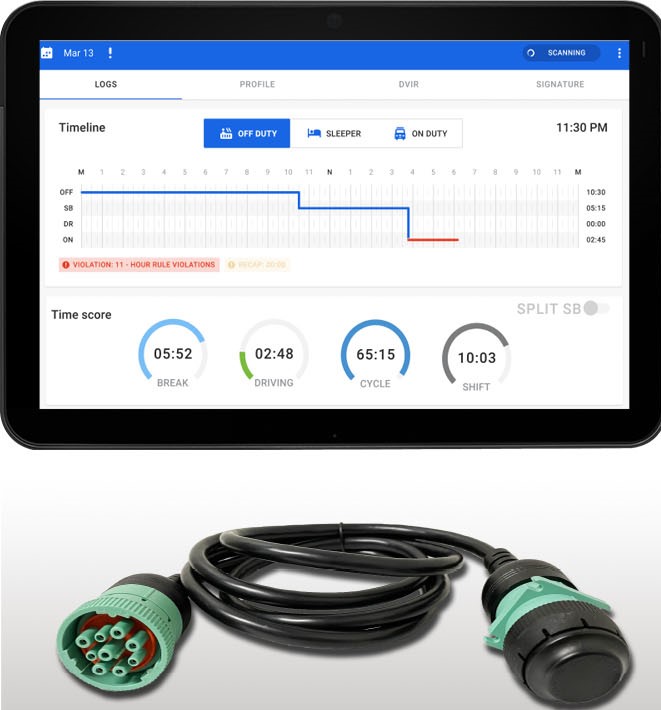
| Vendor | Device Name | Model Number | Approved Version |
|---|---|---|---|
| | Smart ELD | 1.0.3 | 1.0.106 & up |
Data Transfer and Reporting Procedures
> Telematic (Web Service, Email)Malfunctions and Testing
Smart ELD supports Option 1 (Telematics Transfer methods) of 4.9.1 of Appendix A to Subpart B of 49 CFR 395. Using the Smart ELD app, drivers can initiate a data transfer using wireless webservices or using email. Drivers can initiate a data transfer via the "one-touch" DOT Inspection button on the HOS main page. This will allow for an Officer to review logs via the the mobile display , or transfer logs via webservices or email as desired.Certification Statement
Smart ELD is capable of monitoring its compliance for various detectable malfunctions. At each instance when an ELD malfunction event is detected or cleared by the Smart ELD, the ELD records the event. The recorded malfunction events are inconsistencies found while monitoring the ELD against FMCSA compliance requirements. Malfunction occurrences are indicated in the application. The following shows the list of detectable malfunctions: Power Malfunction Engine Synchronization Malfunction Timing Malfunction Position Malfunction Data Recording Malfunction Data Transfer.
User Manual:  Manual_smart_eld.pdf
Smart ELD
| Vendor | Device Name | Model Number | Approved Version |
|---|---|---|---|
| | Smart ELD | 1.0.3 | 1.1 & up |
Data Transfer and Reporting Procedures
> Telematic (Web Service, Email)Malfunctions and Testing
Smart ELD supports Option 1 (Telematics Transfer methods) of 4.9.1 of Appendix A to Subpart B of 49 CFR 395. Using the Smart ELD app, drivers can initiate a data transfer using wireless webservices or using email. Drivers can initiate a data transfer via the "one-touch" DOT Inspection button on the HOS main page. This will allow for an Officer to review logs via the the mobile display , or transfer logs via webservices or email as desired.Certification Statement
Smart ELD is capable of monitoring its compliance for various detectable malfunctions. At each instance when an ELD malfunction event is detected or cleared by the Smart ELD, the ELD records the event. The recorded malfunction events are inconsistencies found while monitoring the ELD against FMCSA compliance requirements. Malfunction occurrences are indicated in the application. The following shows the list of detectable malfunctions: Power Malfunction Engine Synchronization Malfunction Timing Malfunction Position Malfunction Data Recording Malfunction Data Transfer.
User Manual: Manual_smart_eld.pdf