
Products with ELD "PPELD1"
Below you will find a list of products with the ELD "PPELD1" obtained from our database, including their available manuals, documentation, and images.
Click the corresponding vendor name to obtain additional information on the manufacturer, as well as contact information for further troubleshooting.
PrePass ELD
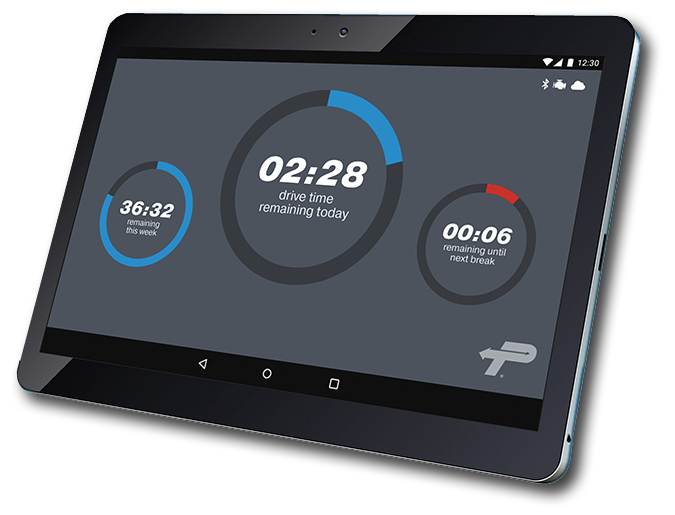
| Vendor | Device Name | Model Number | Approved Version |
|---|---|---|---|
| | PrePass ELD | PPELD100 | 2.0 |
Data Transfer and Reporting Procedures
>Malfunctions and Testing
The ELD supports the telematics transfer methods. This includes Wireless Web services and Email transfer. The following is the process for a user to complete web service and email transfer: 1. Driver taps on the “Inspections” main menu. 2. Touch the menu icon in the upper right (three vertical dots) 3. Touch the “Share logs” option 4. Type in the text requested by the inspector 5. Touch either “1Send Email” button or “Send to Web Service” button Note: Until FMCSA provides beta version of email submission vendors cannot fully test the function.Certification Statement
Malfunction Diagnostics Code Description Type P “Power compliance” malfunction Malfunction E “Engine synchronization compliance” malfunction Malfunction T “Timing compliance” malfunction Malfunction L “Positioning compliance” malfunction Malfunction R “Data recording compliance” malfunction Malfunction S “Data transfer compliance” malfunction Malfunction O “Other” ELD detected malfunction Malfunction 1 “Power data diagnostic” event Diagnostic 2 “Engine synchronization data diagnostic” event Diagnostic 3 “Missing required data elements data diagnostic” event Diagnostic 4 “Data transfer data diagnostic” event Diagnostic 5 “Unidentified driving records data diagnostic” event Diagnostic 6 “Other” ELD identified diagnostic event Diagnostic
User Manual:  PrePass_ELD_Driver_Guide.pdf