
Products with ELD "NAVT22"
Below you will find a list of products with the ELD "NAVT22" obtained from our database, including their available manuals, documentation, and images.
Click the corresponding vendor name to obtain additional information on the manufacturer, as well as contact information for further troubleshooting.
Navistream
| Vendor | Device Name | Model Number | Approved Version |
|---|---|---|---|
| | Navistream | NAVT | 2.2 or newer |
Data Transfer and Reporting Procedures
> Telematic (Web Service, Email)Malfunctions and Testing
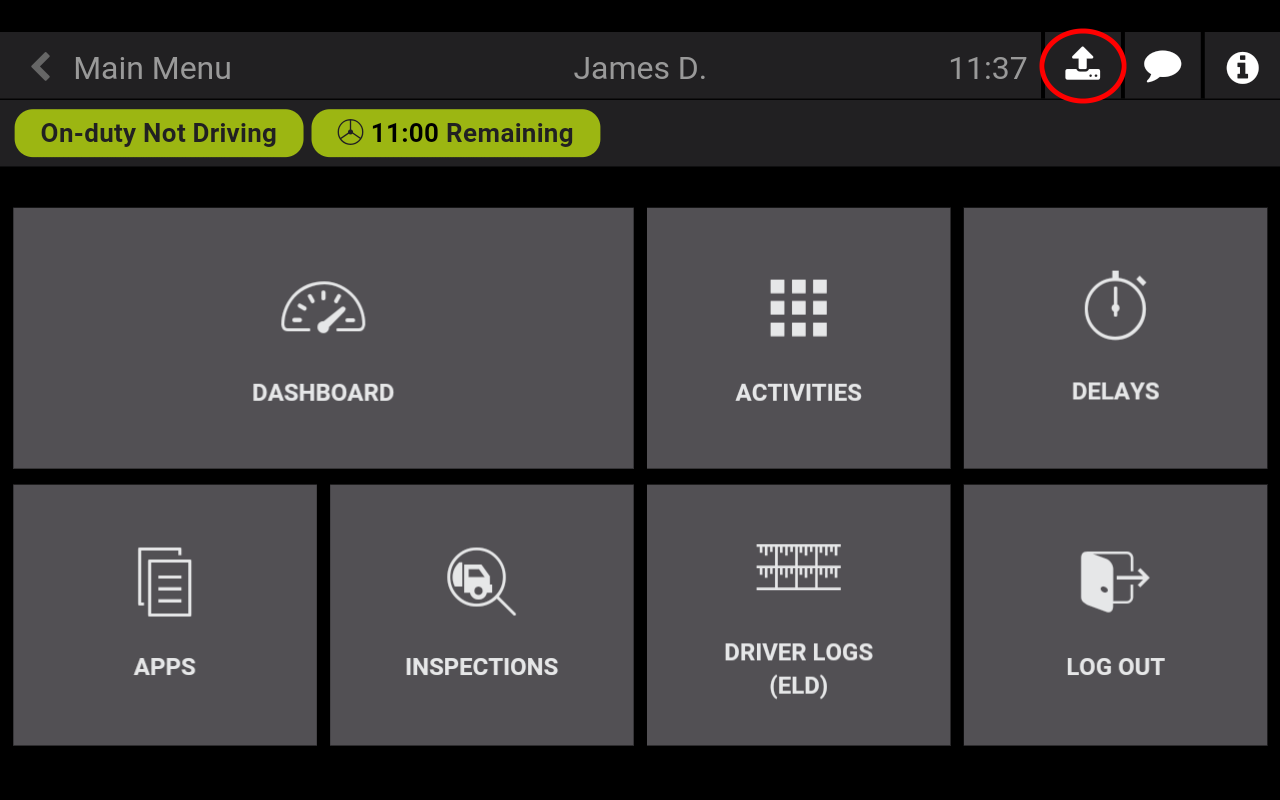
Supported data transfer mechanisms: Navistream supports data transfer via Wireless Web Services and via Email. Step by step instructions for a driver to produce and transfer the ELD records: 1. When the vehicle is stopped, Navistream presents the Main Menu with the option to transfer the ELD records. 2. On the ELD Bar at the top of the screen, activate the ‘ELD Data Transfer’ button with the up-arrow icon. This opens the single-step data transfer dialog. 3.Select the method of transfer. The default is Wireless Web Services. The second choice is Email. The safety official will specify which transfer mechanism to use. Enter the output file comment provided by the safety official. 4. Confirm by activating the ‘Start Data Transfer’ button. The transfer status field will indicate the progress of the transfer, and in case of a failure, the error code.Certification Statement
Reported Malfunctions include: POWER, ENGINE SYNCHRONIZATION, DATA TRANSFER, TIMING, POSITIONING, DATA RECORDING, OTHER.
User Manual:  User Guide v2.6.67.pdf