
Products with ELD "BRHL01"
Below you will find a list of products with the ELD "BRHL01" obtained from our database, including their available manuals, documentation, and images.
Click the corresponding vendor name to obtain additional information on the manufacturer, as well as contact information for further troubleshooting.
BridgeHaul ELD
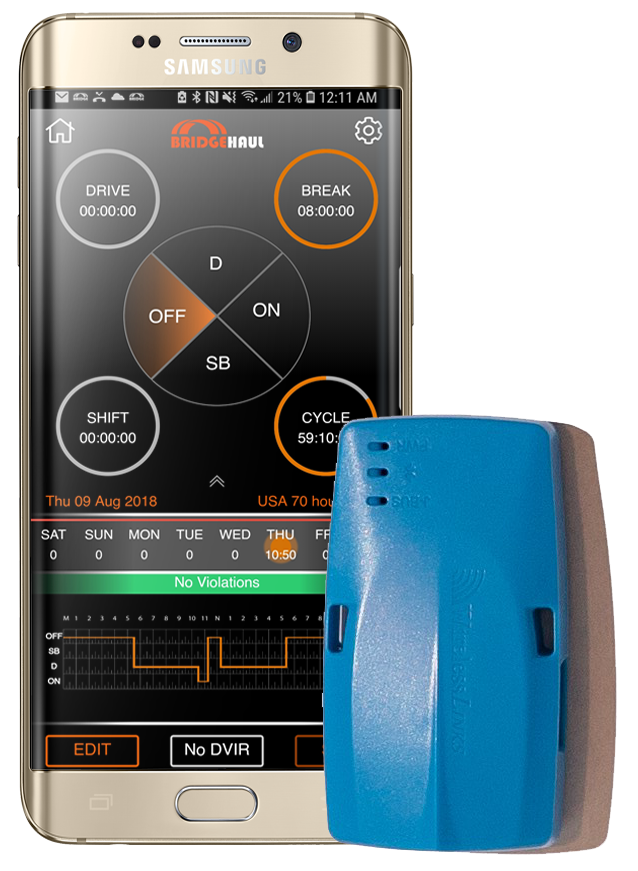
| Vendor | Device Name | Model Number | Approved Version |
|---|---|---|---|
| | BridgeHaul ELD | Bluelink | 3.0.0 |
Data Transfer and Reporting Procedures
> Telematic (Web Service, Email)Malfunctions and Testing
BridgeHaul's ELD supports telemetatics webservices data transfer and email. To transfer data as a driver, the driver clicks on “Send eRODs” in the settings menu. A modal will pop up in the center of the screen with an optional input field for a comment. The driver will indicate the transfer method by checking the “webservices” box or the “email” box. Once the driver adds the optional comment, he/she clicks “SEND” which will initiate the file transfer to the FMCSA via webservices. The ELD communicates to BridgeHaul’s internal servers via APIs over cellular service and BridgeHaul connects to an FMCSA SOAP service and submits a client certificate, the ELD data file with output file comment input by the driver. For email file transfers, BridgeHaul uses the secure/multipurpose internet mail exchange (S/MIME) standard which is encrypted using AES-256 (AES cipher with a 256-bit key length). BridgeHaul attaches the FMCSA’s ELD public key and is signed using BridgeHaul’s ELD private key that corresponds with the ELD public key submitted to the FMCSA by BridgeHaul during the self-certifying process.Certification Statement
Malfunctions and diagnostic events are flagged with a red icon on the ELD homescreen. Each malfunction or diagnostic event (the event) attributes a 1 digit code that further specifies the underlying malfunction or data diagnostic event as defined in Table 4 of the technical appendix to the ELD Final Rule. Attached to this event are additional required fields such as date, time, CMV, vehicle miles, and engine hours and driver profile. The ELD is has the ability to record all malfunction and data diagnostic events as defined in Table 4 of the technical appendix to the ELD Final Rule including power compliance, engine synchronization compliance, timing compliance, positioning compliance, data recording compliance, data transfer compliance, and other various malfunctions. For data diagnostic events, the ELD can detect and record power data diagnostic, engine synchronization diagnostic, missing required data element diagnostic , data transfer diagnostic, and unidentified driving record diagnostic events. Once the required elapsed time or value drops below the malfunction or diagnostic threshold the ELD records when the malfunction/diagnostic is cleared. In addition to the displayed icon, the ELD will flag and prompt a driver to accept or reject unidentified driving events that have not been claimed upon connecting to the device if any are present.
User Manual:  FMCSA DRIVER MANUAL FMCSA 2018.pdf
BridgeHaul ELD
| Vendor | Device Name | Model Number | Approved Version |
|---|---|---|---|
| | BridgeHaul ELD | Bluelink | 3.7.0+ |
Data Transfer and Reporting Procedures
> Telematic (Web Service, Email)Malfunctions and Testing
BridgeHaul's ELD supports telemetatics webservices data transfer and email. To transfer data as a driver, the driver clicks on “Send eRODs” in the settings menu. A modal will pop up in the center of the screen with an optional input field for a comment. The driver will indicate the transfer method by checking the “webservices” box or the “email” box. Once the driver adds the optional comment, he/she clicks “SEND” which will initiate the file transfer to the FMCSA via webservices. The ELD communicates to BridgeHaul’s internal servers via APIs over cellular service and BridgeHaul connects to an FMCSA SOAP service and submits a client certificate, the ELD data file with output file comment input by the driver. For email file transfers, BridgeHaul uses the secure/multipurpose internet mail exchange (S/MIME) standard which is encrypted using AES-256 (AES cipher with a 256-bit key length). BridgeHaul attaches the FMCSA’s ELD public key and is signed using BridgeHaul’s ELD private key that corresponds with the ELD public key submitted to the FMCSA by BridgeHaul during the self-certifying process.Certification Statement
Malfunctions and diagnostic events are flagged with a red icon on the ELD homescreen. Each malfunction or diagnostic event (the event) attributes a 1 digit code that further specifies the underlying malfunction or data diagnostic event as defined in Table 4 of the technical appendix to the ELD Final Rule. Attached to this event are additional required fields such as date, time, CMV, vehicle miles, and engine hours and driver profile. The ELD is has the ability to record all malfunction and data diagnostic events as defined in Table 4 of the technical appendix to the ELD Final Rule including power compliance, engine synchronization compliance, timing compliance, positioning compliance, data recording compliance, data transfer compliance, and other various malfunctions. For data diagnostic events, the ELD can detect and record power data diagnostic, engine synchronization diagnostic, missing required data element diagnostic , data transfer diagnostic, and unidentified driving record diagnostic events. Once the required elapsed time or value drops below the malfunction or diagnostic threshold the ELD records when the malfunction/diagnostic is cleared. In addition to the displayed icon, the ELD will flag and prompt a driver to accept or reject unidentified driving events that have not been claimed upon connecting to the device if any are present.
User Manual: FMCSA DRIVER MANUAL FMCSA 2018.pdf