
Products with ELD "2BRELD"
- 2-Bros-ELD Version 1.0 and Above
- 2-Bros-ELD Version 1.0.and Above
- 2-Bros-ELD Version 1.6 and Above
- 2BRO-ELD Version 4.05.011
- 2BRO-ELD Version 54.34.14
- 2BRO-ELD Version 54.34.41
- 2BRO-ELD Version 54.34.53
- 2BRO-ELD Version 54.34.77
Below you will find a list of products with the ELD "2BRELD" obtained from our database, including their available manuals, documentation, and images.
Click the corresponding vendor name to obtain additional information on the manufacturer, as well as contact information for further troubleshooting.
2 Bros ELD
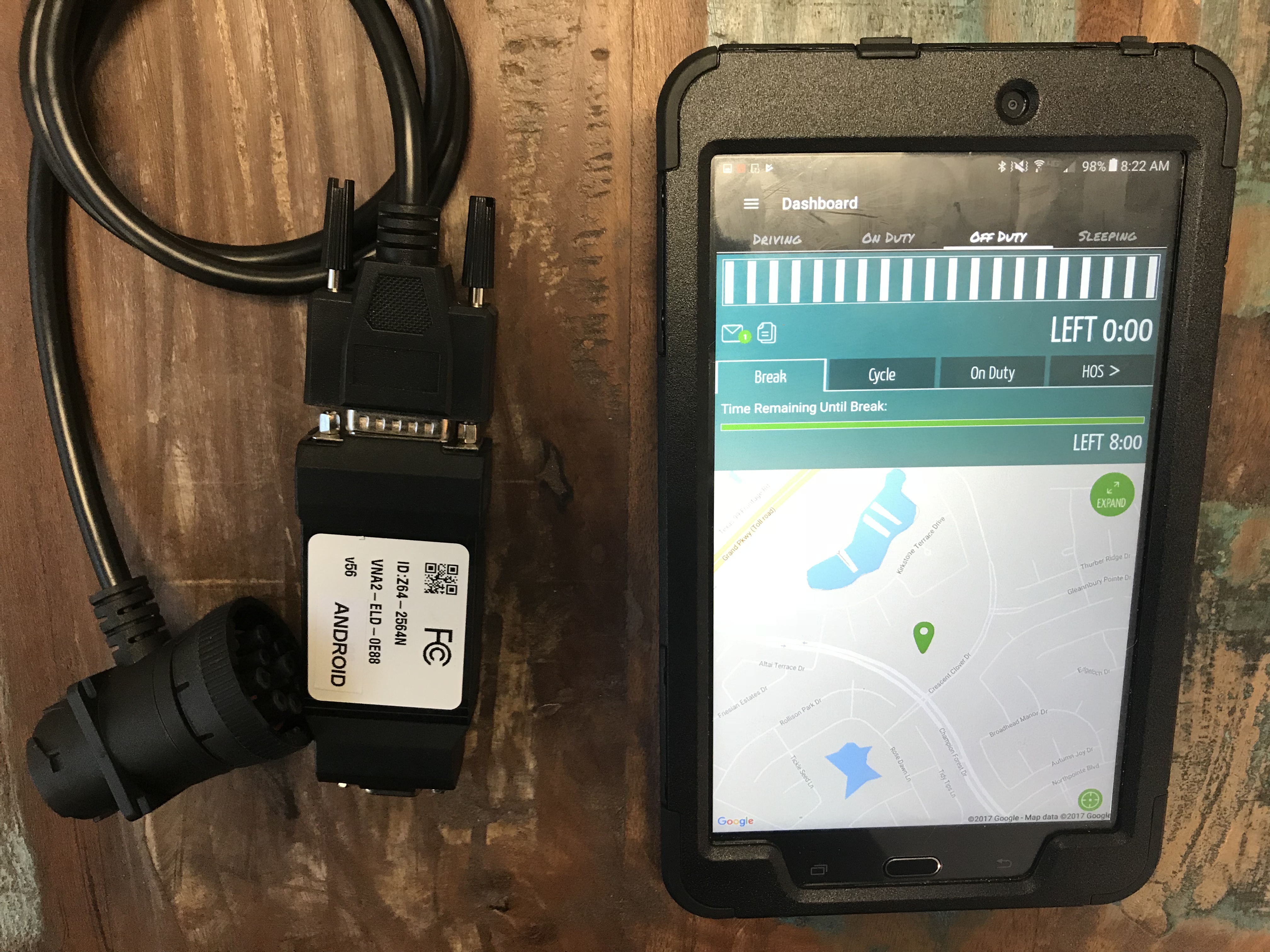
| Vendor | Device Name | Model Number | Approved Version |
|---|---|---|---|
| | 2 Bros ELD | 2BRELD | 1.0 and Above |
Data Transfer and Reporting Procedures
> Local (USB, Bluetooth)Malfunctions and Testing
To send logs at roadside a driver must: 1. Start on the main dashboard. 2. Select "Roadside Inspection" from about the middle of the screen. 3. Select "Send Logs to DOT." 4. Type in the notation requested by the inspecting officer. 5. Select "Send." This will send logs using both Wireless Web Services and Email (option 1 as stated in the ELD mandate regarding roadside data transfer).Certification Statement
The malfunctions supported are: Power Compliance Malfunction Engine Synchronization Malfunction Timing Compliance Malfunction Positioning Compliance Malfunction Data Recording Malfunction Data Transfer Malfunction Each of these malfunctions appears prominently for the user to understand the issue. When the user is presented with this, he is able to rectify the situation, contact the manufacturer or use paper logs, as provided as part of the instruction guide, to remain compliant. The malfunctions and malfunction codes can be found in the instruction guide with the required details in order for the driver to understand what he needs to do next.
User Manual:  TP Revamp Manual (1).pdf
2 Bros ELD

| Vendor | Device Name | Model Number | Approved Version |
|---|---|---|---|
| | 2 Bros ELD | 2BRELD | 1.0.and Above |
Data Transfer and Reporting Procedures
> Telematic (Web Service, Email)Malfunctions and Testing
To send logs at roadside a driver must: 1. Start on the main dashboard. 2. Select "Roadside Inspection" from about the middle of the screen. 3. Select "Send Logs to DOT." 4. Type in the notation requested by the inspecting officer. 5. Select "Send." This will send logs using both Wireless Web Services and Email (option 1 as stated in the ELD mandate regarding roadside data transfer).Certification Statement
The malfunctions supported are: Power Compliance Malfunction Engine Synchronization Malfunction Timing Compliance Malfunction Positioning Compliance Malfunction Data Recording Malfunction Data Transfer Malfunction Each of these malfunctions appears prominently for the user to understand the issue. When the user is presented with this, he is able to rectify the situation, contact the manufacturer or use paper logs, as provided as part of the instruction guide, to remain compliant. The malfunctions and malfunction codes can be found in the instruction guide with the required details in order for the driver to understand what he needs to do next.
User Manual: TP Revamp Manual (1).pdf
2 Bros ELD
| Vendor | Device Name | Model Number | Approved Version |
|---|---|---|---|
| | 2 Bros ELD | 2BRELD | 1.6 and Above |
Data Transfer and Reporting Procedures
> Telematic (Web Service, Email)Malfunctions and Testing
To send logs at roadside a driver must: 1. Start on the main dashboard. 2. Select "Roadside Inspection" from about the middle of the screen. 3. Select "Send Logs to DOT." 4. Type in the notation requested by the inspecting officer. 5. Select "Send." This will send logs using both Wireless Web Services and Email (option 1 as stated in the ELD mandate regarding roadside data transfer).Certification Statement
The malfunctions supported are: Power Compliance Malfunction Engine Synchronization Malfunction Timing Compliance Malfunction Positioning Compliance Malfunction Data Recording Malfunction Data Transfer Malfunction Each of these malfunctions appears prominently for the user to understand the issue. When the user is presented with this, he is able to rectify the situation, contact the manufacturer or use paper logs, as provided as part of the instruction guide, to remain compliant. The malfunctions and malfunction codes can be found in the instruction guide with the required details in order for the driver to understand what he needs to do next.
User Manual: TP Revamp Manual (1).pdf
2BRO ELD
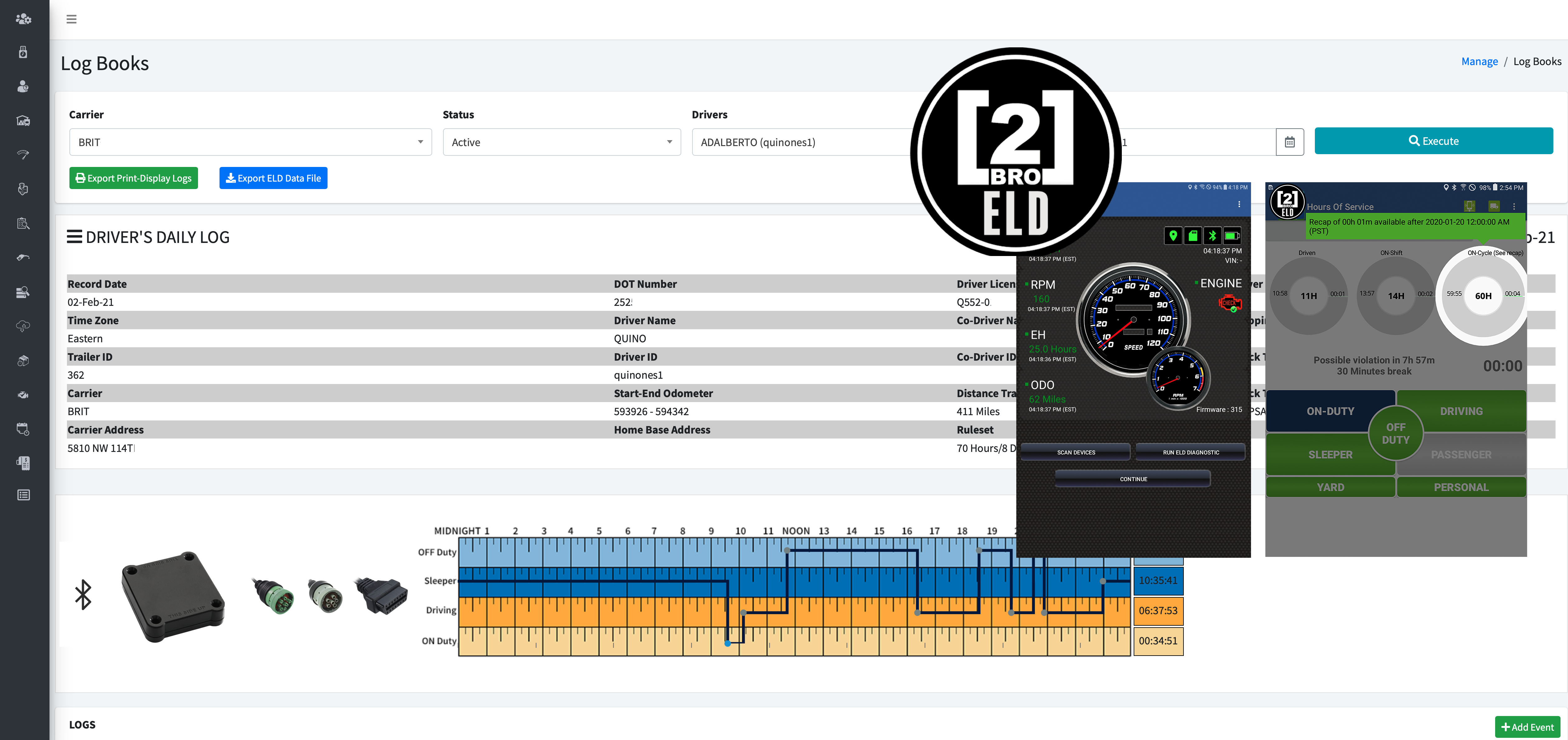
| Vendor | Device Name | Model Number | Approved Version |
|---|---|---|---|
| | 2BRO ELD | 2BRO002 | 4.05.011 |
Data Transfer and Reporting Procedures
> Local (USB, Bluetooth) , Telematic (Web Service, Email)Malfunctions and Testing
The driver selects the “Export ELD Data File” from the Logbook screen to submit the Output File to an authorized safety official. The driver, then, will choose one of the following methods: -Email Transfer: An email will be preformatted with the AES file attached. The destination email address will be provided during this registration process. -Webservice: After selecting this option, the driver should tap on the “FMCSA” labeled image, add a comment, and tap the “Export” button. The FMCSA web services will return a message with the Submission ID number, Status, and Message about the transfer. -USB Transfer: The ELD will wait for the driver or safety official to connect the external storage device and automatically enter Mass Storage mode. After the external storage device is detected, the driver will be prompted to re-authenticate before the transfer of the output data file is started. -Bluetooth Transfer: After selecting this option, the authorized safety official will pair and verify the PIN with the driver. Once the Bluetooth devices are paired, the safety official’s technology equipment will transfer the output file to the FMCSA website using Web services.Certification Statement
Low battery, network disconnection, low internal memory space, ECM data transfer failure, location sensor failure. In addition, the following malfunctions are detected (and appropriate records created) by the P3TS ELD: - Power data diagnostic (diagnostic - 1) - Engine synchronization data diagnostic (diagnostic - 2) - Missing required data elements (diagnostic - 3) - Data transfer (diagnostic - 4) - Unidentified driving records data diagnostic (diagnostic - 5) - Other ELD diagnostics (diagnostic - 6 - Power compliance (malfunction - P) - Engine synchronization compliance (malfunction - E) - Timing compliance (malfunction - T) - Positioning compliance (malfunction - L) - Data recording compliance (malfunction - R) - Data transfer compliance (malfunction - S) - Other ELD malfunctions (malfunction - O)
User Manual: 2BROELDappUserGuide.pdf
2BRO ELD
| Vendor | Device Name | Model Number | Approved Version |
|---|---|---|---|
| | 2BRO ELD | 2BRO002 | 54.34.14 |
Data Transfer and Reporting Procedures
> Local (USB, Bluetooth) , Telematic (Web Service, Email)Malfunctions and Testing
The driver selects the “Export ELD Data File” from the Logbook screen to submit the Output File to an authorized safety official. The driver, then, will choose one of the following methods: -Email Transfer: An email will be preformatted with the AES file attached. The destination email address will be provided during this registration process. -Webservice: After selecting this option, the driver should tap on the “FMCSA” labeled image, add a comment, and tap the “Export” button. The FMCSA web services will return a message with the Submission ID number, Status, and Message about the transfer. -USB Transfer: The ELD will wait for the driver or safety official to connect the external storage device and automatically enter Mass Storage mode. After the external storage device is detected, the driver will be prompted to re-authenticate before the transfer of the output data file is started. -Bluetooth Transfer: After selecting this option, the authorized safety official will pair and verify the PIN with the driver. Once the Bluetooth devices are paired, the safety official’s technology equipment will transfer the output file to the FMCSA website using Web services.Certification Statement
Low battery, network disconnection, low internal memory space, ECM data transfer failure, location sensor failure. In addition, the following malfunctions are detected (and appropriate records created) by the P3TS ELD: - Power data diagnostic (diagnostic - 1) - Engine synchronization data diagnostic (diagnostic - 2) - Missing required data elements (diagnostic - 3) - Data transfer (diagnostic - 4) - Unidentified driving records data diagnostic (diagnostic - 5) - Other ELD diagnostics (diagnostic - 6 - Power compliance (malfunction - P) - Engine synchronization compliance (malfunction - E) - Timing compliance (malfunction - T) - Positioning compliance (malfunction - L) - Data recording compliance (malfunction - R) - Data transfer compliance (malfunction - S) - Other ELD malfunctions (malfunction - O)
User Manual: 2BROELDappUserGuide.pdf
2BRO ELD
| Vendor | Device Name | Model Number | Approved Version |
|---|---|---|---|
| | 2BRO ELD | 2BRO002 | 54.34.41 |
Data Transfer and Reporting Procedures
> Local (USB, Bluetooth) , Telematic (Web Service, Email)Malfunctions and Testing
The driver selects the “Export ELD Data File” from the Logbook screen to submit the Output File to an authorized safety official. The driver, then, will choose one of the following methods: -Email Transfer: An email will be preformatted with the AES file attached. The destination email address will be provided during this registration process. -Webservice: After selecting this option, the driver should tap on the “FMCSA” labeled image, add a comment, and tap the “Export” button. The FMCSA web services will return a message with the Submission ID number, Status, and Message about the transfer. -USB Transfer: The ELD will wait for the driver or safety official to connect the external storage device and automatically enter Mass Storage mode. After the external storage device is detected, the driver will be prompted to re-authenticate before the transfer of the output data file is started. -Bluetooth Transfer: After selecting this option, the authorized safety official will pair and verify the PIN with the driver. Once the Bluetooth devices are paired, the safety official’s technology equipment will transfer the output file to the FMCSA website using Web services.Certification Statement
Low battery, network disconnection, low internal memory space, ECM data transfer failure, location sensor failure. In addition, the following malfunctions are detected (and appropriate records created) by the P3TS ELD: - Power data diagnostic (diagnostic - 1) - Engine synchronization data diagnostic (diagnostic - 2) - Missing required data elements (diagnostic - 3) - Data transfer (diagnostic - 4) - Unidentified driving records data diagnostic (diagnostic - 5) - Other ELD diagnostics (diagnostic - 6 - Power compliance (malfunction - P) - Engine synchronization compliance (malfunction - E) - Timing compliance (malfunction - T) - Positioning compliance (malfunction - L) - Data recording compliance (malfunction - R) - Data transfer compliance (malfunction - S) - Other ELD malfunctions (malfunction - O)
User Manual: 2BROELDappUserGuide.pdf
2BRO ELD
| Vendor | Device Name | Model Number | Approved Version |
|---|---|---|---|
| | 2BRO ELD | 2BRO002 | 54.34.53 |
Data Transfer and Reporting Procedures
> Local (USB, Bluetooth) , Telematic (Web Service, Email)Malfunctions and Testing
The driver selects the “Export ELD Data File” from the Logbook screen to submit the Output File to an authorized safety official. The driver, then, will choose one of the following methods: -Email Transfer: An email will be preformatted with the AES file attached. The destination email address will be provided during this registration process. -Webservice: After selecting this option, the driver should tap on the “FMCSA” labeled image, add a comment, and tap the “Export” button. The FMCSA web services will return a message with the Submission ID number, Status, and Message about the transfer. -USB Transfer: The ELD will wait for the driver or safety official to connect the external storage device and automatically enter Mass Storage mode. After the external storage device is detected, the driver will be prompted to re-authenticate before the transfer of the output data file is started. -Bluetooth Transfer: After selecting this option, the authorized safety official will pair and verify the PIN with the driver. Once the Bluetooth devices are paired, the safety official’s technology equipment will transfer the output file to the FMCSA website using Web services.Certification Statement
Low battery, network disconnection, low internal memory space, ECM data transfer failure, location sensor failure. In addition, the following malfunctions are detected (and appropriate records created) by the P3TS ELD: - Power data diagnostic (diagnostic - 1) - Engine synchronization data diagnostic (diagnostic - 2) - Missing required data elements (diagnostic - 3) - Data transfer (diagnostic - 4) - Unidentified driving records data diagnostic (diagnostic - 5) - Other ELD diagnostics (diagnostic - 6 - Power compliance (malfunction - P) - Engine synchronization compliance (malfunction - E) - Timing compliance (malfunction - T) - Positioning compliance (malfunction - L) - Data recording compliance (malfunction - R) - Data transfer compliance (malfunction - S) - Other ELD malfunctions (malfunction - O)
User Manual: 2BROELDappUserGuide.pdf
2BRO ELD
| Vendor | Device Name | Model Number | Approved Version |
|---|---|---|---|
| | 2BRO ELD | 2BRO002 | 54.34.77 |
Data Transfer and Reporting Procedures
> Local (USB, Bluetooth) , Telematic (Web Service, Email)Malfunctions and Testing
The driver selects the “Export ELD Data File” from the Logbook screen to submit the Output File to an authorized safety official. The driver, then, will choose one of the following methods: -Email Transfer: An email will be preformatted with the AES file attached. The destination email address will be provided during this registration process. -Webservice: After selecting this option, the driver should tap on the “FMCSA” labeled image, add a comment, and tap the “Export” button. The FMCSA web services will return a message with the Submission ID number, Status, and Message about the transfer. -USB Transfer: The ELD will wait for the driver or safety official to connect the external storage device and automatically enter Mass Storage mode. After the external storage device is detected, the driver will be prompted to re-authenticate before the transfer of the output data file is started. -Bluetooth Transfer: After selecting this option, the authorized safety official will pair and verify the PIN with the driver. Once the Bluetooth devices are paired, the safety official’s technology equipment will transfer the output file to the FMCSA website using Web services.Certification Statement
Low battery, network disconnection, low internal memory space, ECM data transfer failure, location sensor failure. In addition, the following malfunctions are detected (and appropriate records created) by the P3TS ELD: - Power data diagnostic (diagnostic - 1) - Engine synchronization data diagnostic (diagnostic - 2) - Missing required data elements (diagnostic - 3) - Data transfer (diagnostic - 4) - Unidentified driving records data diagnostic (diagnostic - 5) - Other ELD diagnostics (diagnostic - 6 - Power compliance (malfunction - P) - Engine synchronization compliance (malfunction - E) - Timing compliance (malfunction - T) - Positioning compliance (malfunction - L) - Data recording compliance (malfunction - R) - Data transfer compliance (malfunction - S) - Other ELD malfunctions (malfunction - O)
User Manual: 2BROELDappUserGuide.pdf